
A national ranking tells you almost nothing about a business with an address. What decides whether the phone rings is the map Google draws for somebody standing in your town — and that map is different in every town and on every phone. Local rankings checks it for you: for each keyword, from each town you name, it records where your business sits in the map results and where your website sits in the ordinary results underneath. It also reads your Google business profile back regularly and tells you the moment somebody edits it. You do not need hosting with us — it works for any business.
💡 One check gives you both numbers
A check is one keyword looked up in one town on one device, and it returns your map position and your position in the ordinary results at the same time. You are never charged twice for the same search.
Find your business
Open Local rankings and press Add a business. Search for it exactly as a customer would — its name and the town it is in — and pick yours out of the results.
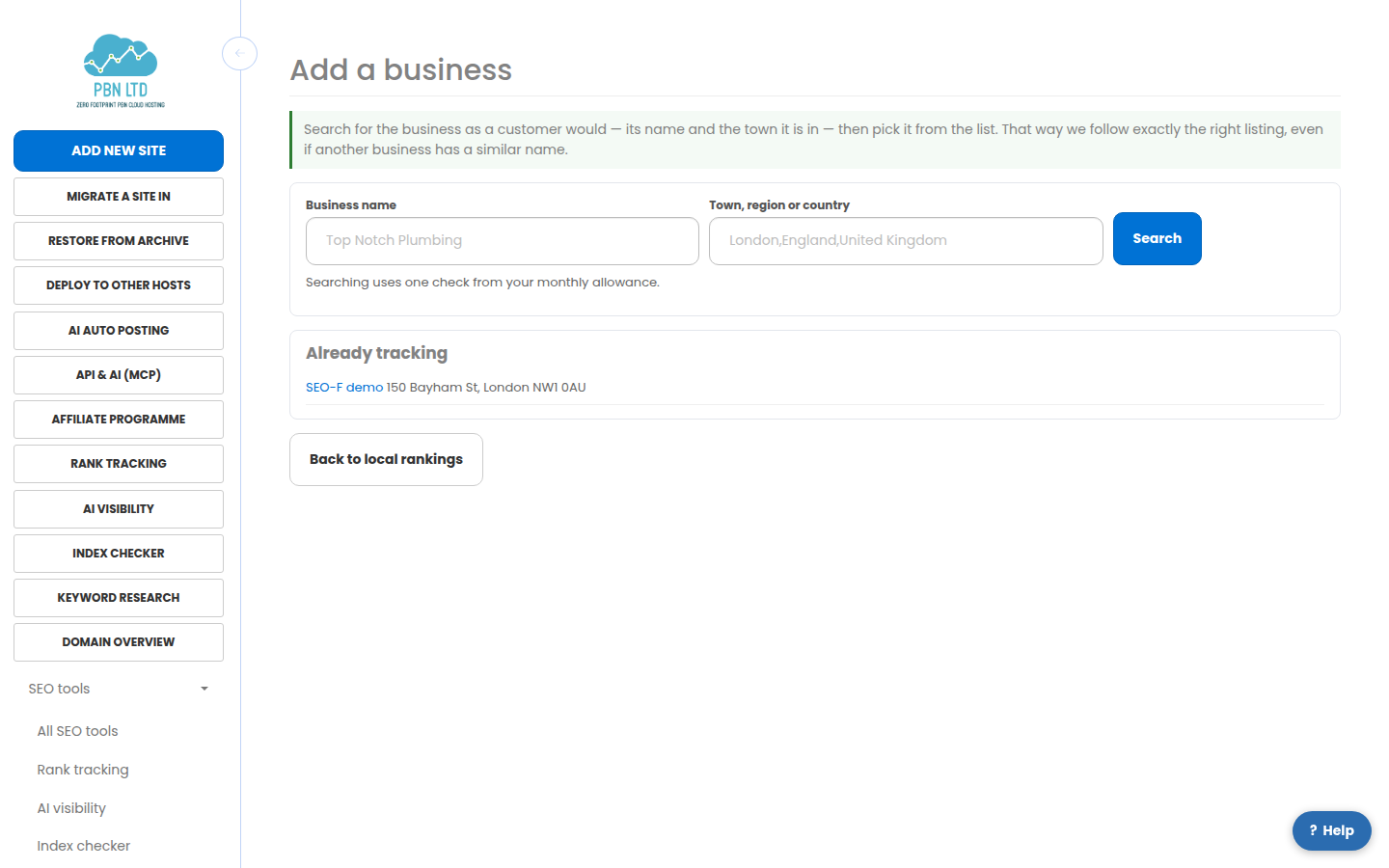
Picking it from the list matters: we store Google’s own identifier for that place, which is the only reliable way to follow the same listing when names and addresses change. Searching uses one check from your monthly allowance.
Add the towns you want to be found in
On the business page, add each place your customers actually search from, and whether to check it on a phone or a desktop. Mobile is the default because most local searches are.
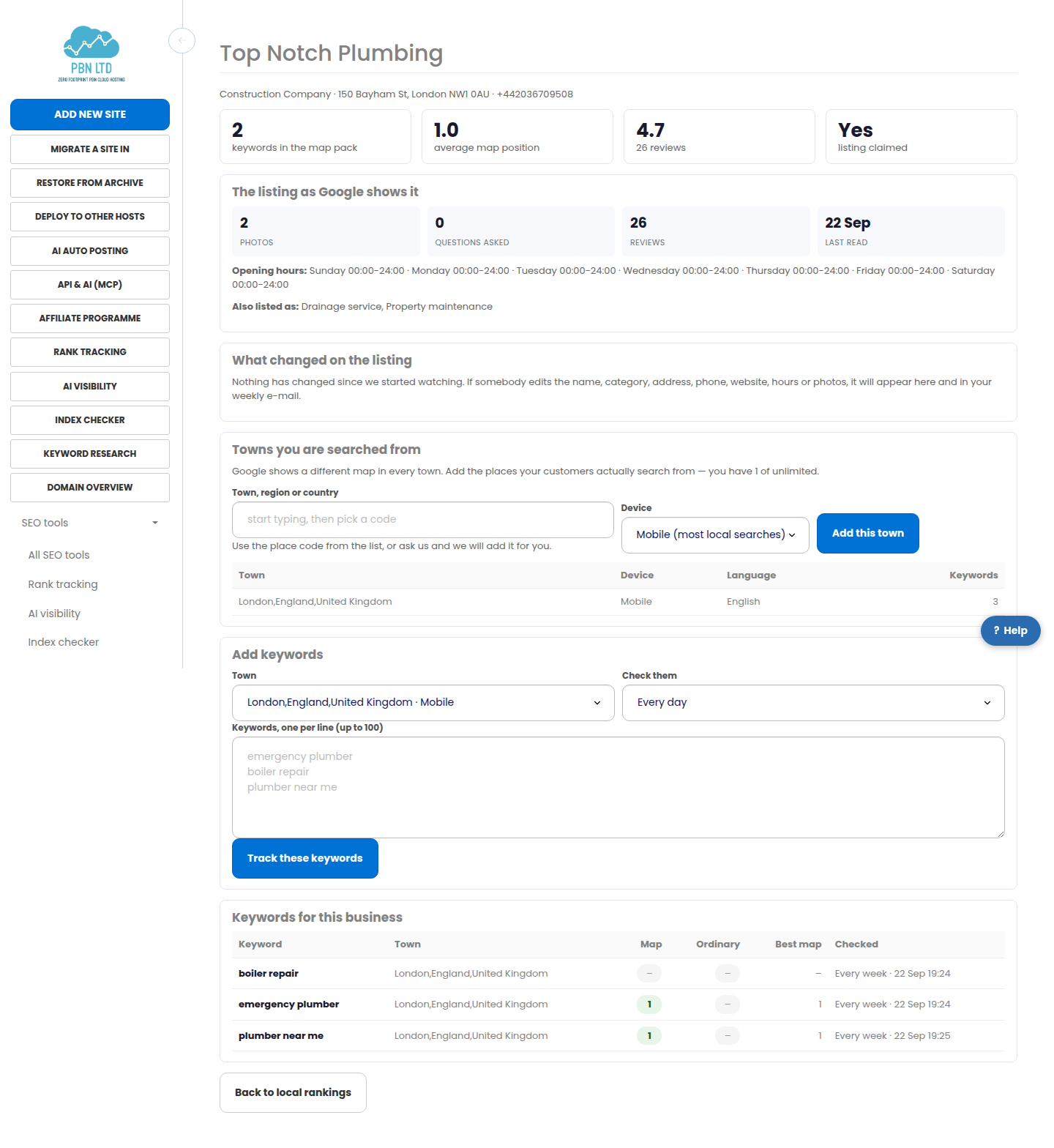
- Each town is tracked separately, because Google answers each town differently.
- A town can be a city, a borough, a region or a whole country.
- How many towns you may add per business depends on your plan.
Add the keywords you want to win
Put in the words a customer would really type — “emergency plumber”, “dentist near me”, “best coffee” — one per line, and choose how often to check them.
- Every month, every week or every day, depending on your plan.
- If you choose a cadence faster than your plan allows, we quietly use the fastest it does allow rather than refusing you.
- We work out before you commit whether the keywords you are adding would fit inside your monthly allowance, and tell you plainly if they would not. You cannot get a surprise bill.
Press Check now on any keyword at any time to put it at the front of the queue; it is checked within a few minutes and uses one check from the month.
Reading the numbers
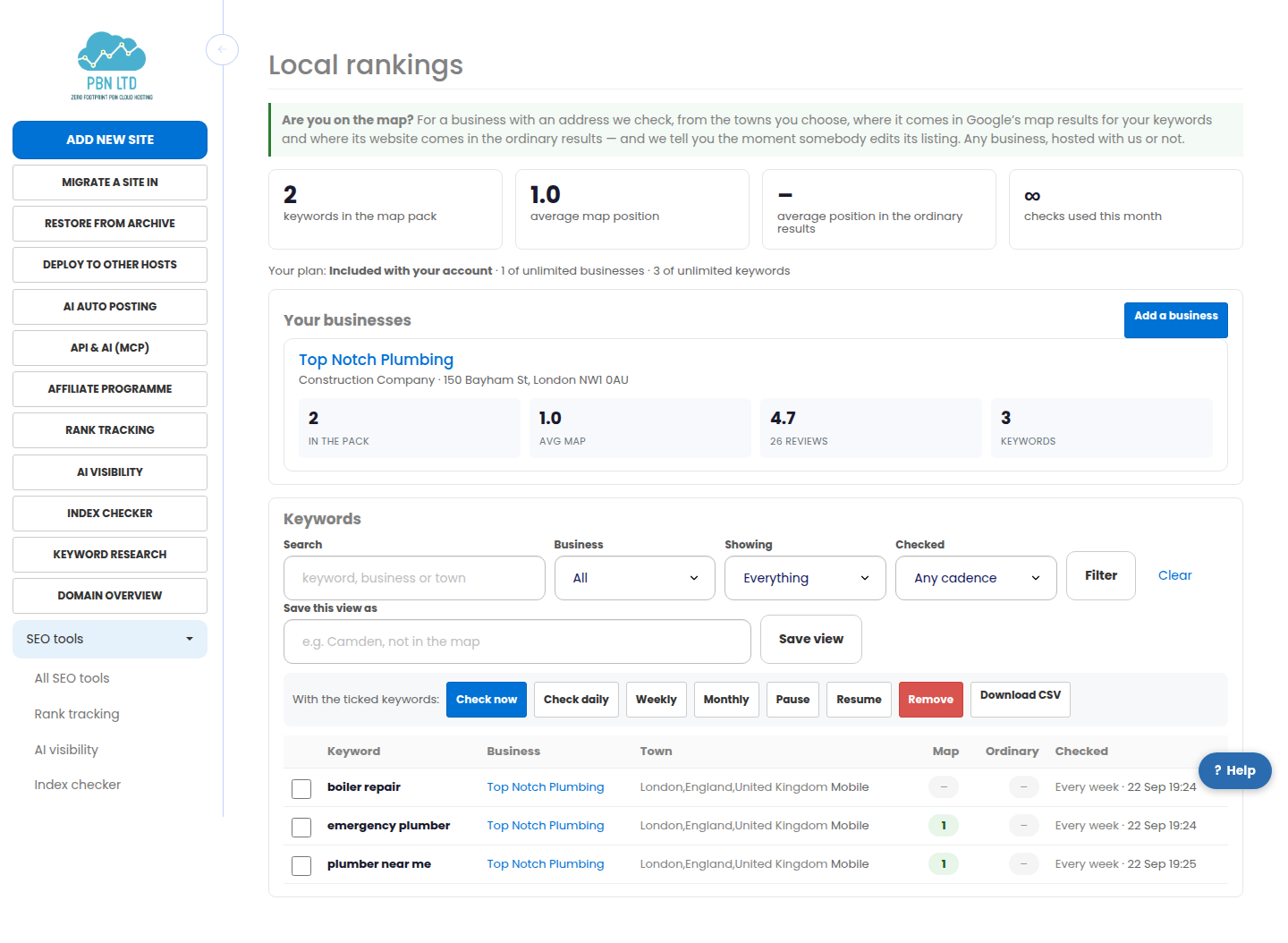
Each keyword shows two positions. The map position is where your business sits among the businesses Google puts on the map — 1, 2 or 3 means you are in the pack people actually see. The ordinary position is where your website comes in the blue links below it, for the same search from the same town.
- A dash means you were not in those results at all when we last looked.
- The small arrow beside a position is how it moved since the check before.
- The dashboard leads with what went up and what slipped over the last month.
- Every check also records the businesses around you in the map pack, with their ratings and review counts.
Changes to your business listing
We read your business profile back regularly and record every change to the name, category, address, phone number, website, star rating, number of reviews, whether it is claimed, the photo count and the opening hours. Changes appear under What changed on the listing on the business page and in your weekly e-mail.
This matters more than it sounds. Anybody can suggest an edit to a Google listing, and most owners never find out one was accepted. If your phone number or opening hours change without you, you will see it here.
- The first read is the baseline, so it never reports “everything changed”.
- A listing that is not claimed is flagged: claiming it is free and is the quickest single thing you can do for your local rankings.
E-mails, exports and the API
- One e-mail a week at most, and only when something actually moved or your listing changed. Every one carries a one-click link to stop them.
- The keyword table filters by business, town, cadence or “not in the map”, and you can save the views you keep coming back to.
- Everything downloads as a CSV.
- The public API exposes your businesses, keywords, history and a “check now” call, so you can put the numbers in your own dashboard.
Related
- Rank tracking – see where your sites come up in Google
- Client Reports – Send Your Clients A Report In Your Own Name
- Local rankings on pbn.ltd
More about Local rankings: Local rankings on pbn.ltd · all SEO tools