
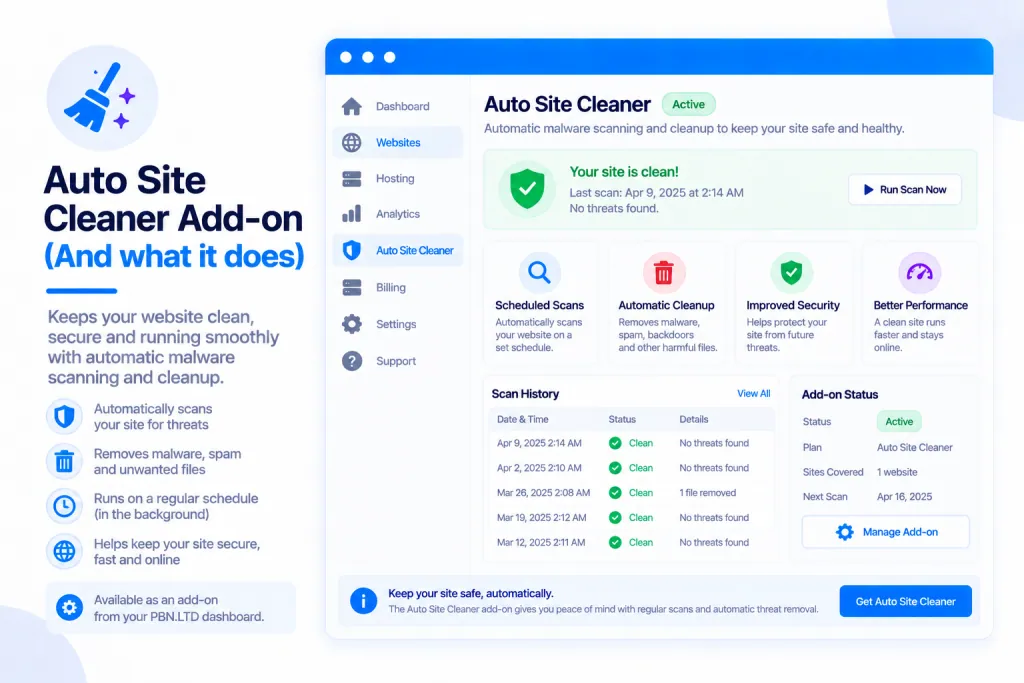
Site Cleaner clears out the clutter your sites build up over time — unused plugins and themes, leftover database tables, old revisions, spam, logs, cache and forgotten backup zips. Fewer files and a smaller database keep you inside your plan limits, and your sites load faster with less old code to attack. You can scan any site for free to see exactly what it would remove; running the clean is a paid add-on.
💡 Heads-up
The scan is always free — you see exactly what would be removed and how much space you’d save before paying anything. And every clean takes a backup first and can be undone for 7 days, so it’s safe to try.
What Site Cleaner does
Site Cleaner removes what your sites don’t need: plugins and themes you no longer use, the database tables and settings left behind by plugins you’ve deleted, old revisions, spam, logs, cache and forgotten backup zips. The result is fewer files, a smaller database, faster loading, and less old code sitting around for attackers to poke at.
It works on any site that has a database — WordPress, Joomla and Drupal, as well as the newer PrestaShop, OpenCart, Grav and MediaWiki.
Free scan, paid clean
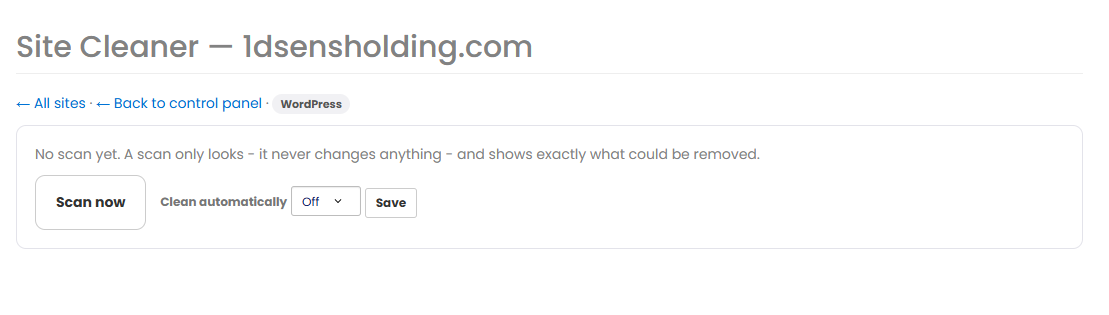
Any site can be scanned for free. A scan only looks — it never changes anything — and shows you exactly what could be removed, how many files, and how much space you’d get back. Just open a site’s Site Cleaner page and press Scan now.
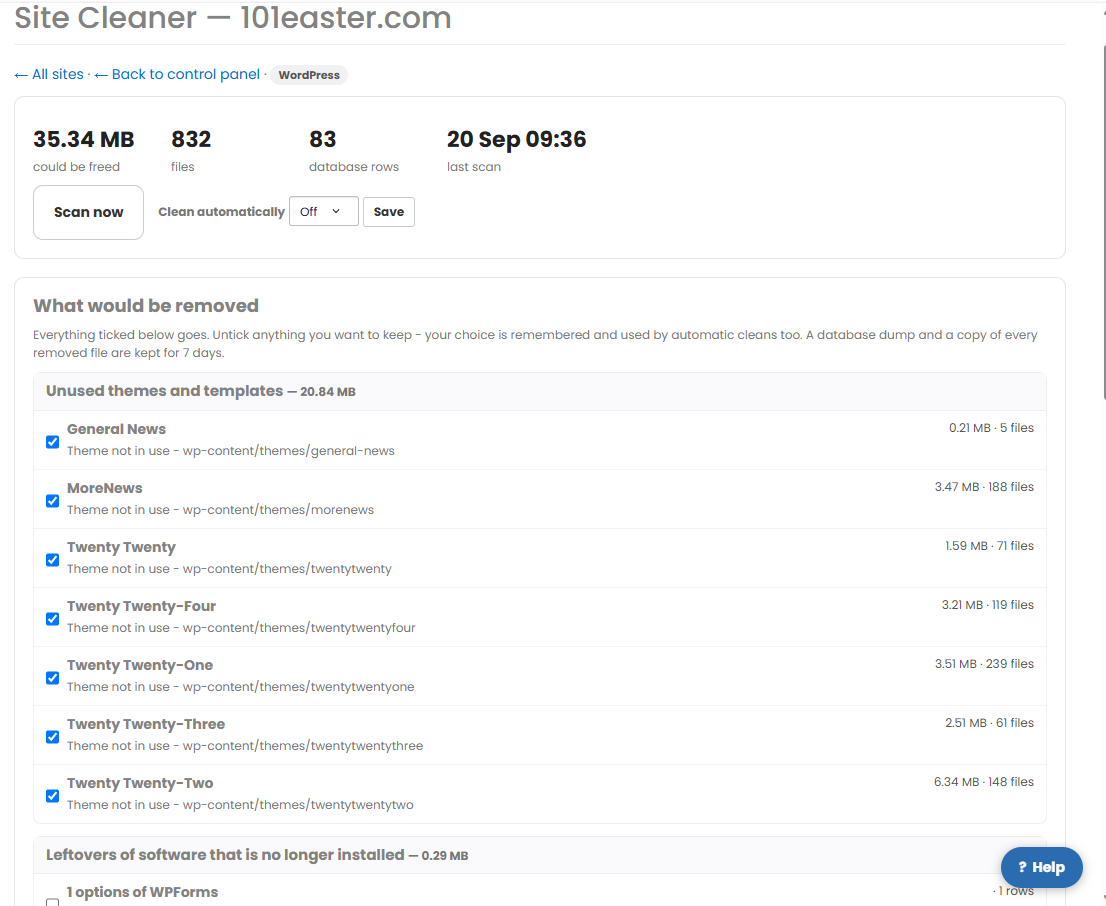
Once the scan finishes you’ll see everything the cleaner can remove, grouped by type with a size next to each item. Everything is ticked by default — untick anything you want to keep, and your choice is remembered for next time. To actually remove it you need the Site Cleaner add-on; if you don’t have it yet, the button next to the list says Get Site Cleaner.
The add-on costs $12.99 a month or $119.99 a year (plus VAT where it applies), and one purchase covers every eligible site on your account. Pay by PayPal (cards too) or crypto. It stops 3 days after your paid period ends unless you renew — and we’ll remind you before then.
What it removes
Exactly what’s on offer depends on the platform, but Site Cleaner can clear:
- Plugins, themes, extensions and modules that are switched off or unused.
- Leftovers in the database from plugins you’ve deleted — for example Yoast or Rank Math tables and settings after the plugin itself is gone.
- Old post revisions, trash and spam.
- Expired temporary data, log tables, cache, and temporary or old backup files.
- Joomla: unused extensions and templates, cache/tmp/log folders, and old action-log, session, redirect and version-history tables.
- Drupal: unused modules and themes with their leftover settings and tables, the site log, old revisions and CSS/JS aggregates.
- PrestaShop: compiled caches and templates, old logs, visit/search/404 records, abandoned guest carts more than 30 days old (never a cart that became an order), database rows left by removed modules, and themes no shop uses.
- OpenCart: the cache, log and session folders, resized product images (remade on demand), expired sessions and old “who’s online” records, leftovers from removed extensions, and unused themes.
- Grav: cache, temporary files, logs, Grav’s own old backups, processed image copies, disabled plugins and unused themes.
- MediaWiki: cache, generated thumbnails, old logs, expired cache rows, stuck background jobs and “recent changes” entries older than 90 days, and unused skins and extensions (page-history clean-ups only if you tick them).
You tick or untick each item, so you’re always in control of what goes. Anything the cleaner can’t confidently identify is listed but never ticked for you.
⚠️ Have a quick look before you clean. Everything is ticked by default, so glance through the list and untick anything you might want later — a theme or plugin you’re not using right now but may switch back on, for instance. If something does go that you needed, you’ve got 7 days to undo it.
Safe by design
Every clean takes a backup of your database and the files it’s about to remove first, then checks your site afterwards. If the site responds worse than before, it puts the backup straight back by itself. On top of that, you get an Undo button for 7 days, so you can reverse a clean whenever you like. These safety copies are kept for 7 days, separate from your regular automatic backups.
Cleaning automatically on a schedule
Once you have the add-on, you can let Site Cleaner run by itself — off, daily, weekly or monthly, set per site. Automatic cleans use the same ticks you chose, so they only ever remove what you’ve already approved. Set it with the Clean automatically dropdown on the site’s Site Cleaner page and press Save.
Where to find it
You’ll find Site Cleaner in a few places:
- Your account menu → Site Cleaner — the overview of all your sites, with a scan date and Open button for each.
- A Site Cleaner tile in each site’s control panel.
- A “Needs cleaning…” note on your site cards (every site is scanned automatically each week).
- “Clean sites” in the sites-list bulk actions, to run it across several sites at once.

It also appears where it’s most useful — on the Usage tab, on paused-site notices, and in your usage and renewal emails. If you’re bumping up against your plan limits, a clean is often the quickest way back under them, though you can also buy extra usage if you’d rather.
✅ Quick summary: Site Cleaner clears out unused plugins and themes, database leftovers, old revisions, spam, logs, cache and old backups — keeping your sites lean, fast and inside their limits. Scanning is free and shows exactly what would go; the clean is a paid add-on ($12.99/month or $119.99/year) covering every site. Every clean is backed up first and undoable for 7 days, and you can set it to run automatically.