
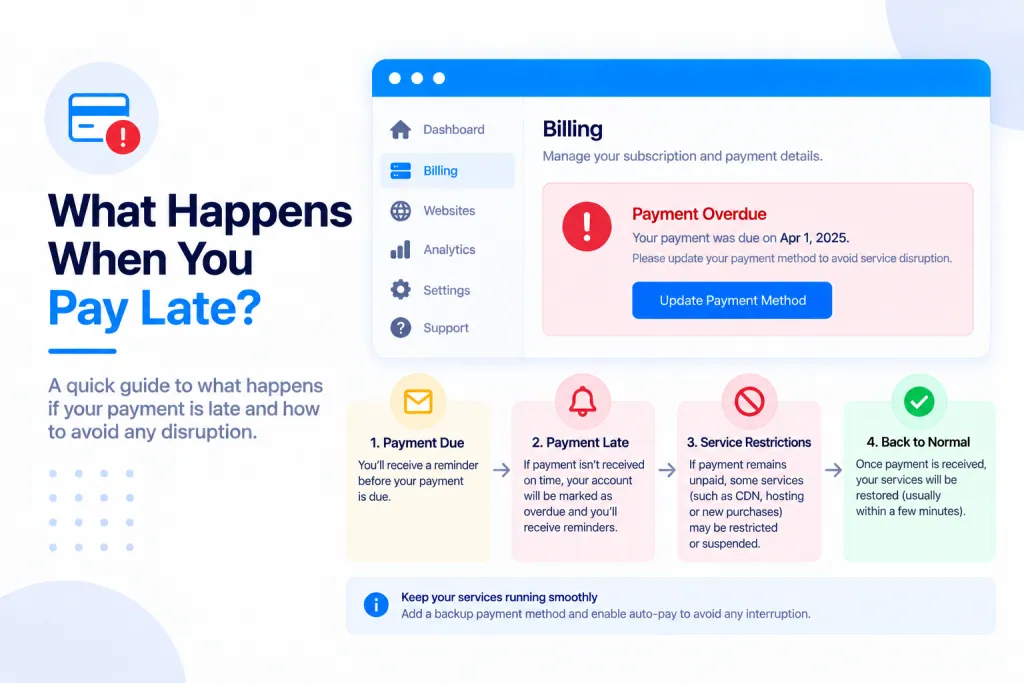
Short answer: if your plan has lapsed and your sites are paused, you get them back by paying on your Subscriptions page — and the page tells you exactly which dates your payment covers before you pay, so you can choose the right amount and get straight back online.
💡 Heads-up
Nothing is charged until you confirm. The Subscriptions page spells out, in plain dates, what each option buys — so you can see whether a payment will bring your sites back before you make it.
Where to pay
Open the account menu (your name, top-left) and choose Subscriptions. If your plan has lapsed, the page shows your renewal options with a plain-English note above them explaining exactly which dates each one covers.
How late payments work
The key thing to understand: your paid time always runs from your original renewal date — not from the day you happen to pay. A late payment fills the gap from where your plan ran out; it doesn’t start a brand-new period from today.
So paying three weeks late buys a period that began three weeks ago. You’re never charged for time you didn’t have — but a late payment doesn’t reset the clock to today, either.
That’s why the Subscriptions page shows the exact dates for each option (1, 3, 6 or 12 months) before you pay. The wording comes straight from the same system that works out what your payment buys, so it’s always accurate.
Why one month might not bring your site back
If you’re only a little past your renewal date, a single month usually covers you and your sites come straight back. But if you’re well past it, one month might only pay for a period that has already passed — which means your sites would stay paused.
The page flags exactly this and suggests choosing more months so you’re paid up to a future date. For example:
Your plan ran out on 1 Aug 2026 (48 days ago) … 1 month covers 1 Aug → 31 Aug 2026. That period has already passed, so your sites would stay paused. Choose 3 months above to be paid up to 30 Oct 2026 and back online.
In that example, one month wouldn’t reach today — but three months pays through to a future date, so the sites come back on.
Getting your sites back online
The simple rule: choose enough months to reach a date in the future — the page tells you which option does that. Prefer to pay for several months, or a year, at once? See Can I Pay Yearly?.
Once you confirm a payment that pays you up to a future date, your sites come back on — usually within about a minute. If they don’t reappear shortly after, I’ve Just Paid — Why Are My Sites Still Frozen? walks through the usual causes, or you can open a support ticket and we’ll sort it.
✅ Quick summary
Pay on your Subscriptions page — it shows the exact dates each option covers before you pay. Your paid time runs from your original renewal date, not the day you pay, so if you’re well overdue, pick enough months to reach a future date (the page tells you which). Once you’re paid up ahead of today, your sites come back on within about a minute.