
Use Your Own Cloudflare Or Bunny.net Account
Connect your own Cloudflare or Bunny.net account so a site's DNS and CDN live in an account you own.
Read article →Learn about our integrated CDN providers and how to choose the right one for your site.
Connect your own Cloudflare or Bunny.net account so a site's DNS and CDN live in an account you own.
Read article →Turn on I'm Under Attack mode, add your own firewall rules and block AI crawlers for a site on Cloudflare, from the site's Security tab.
Read article →For sites on Cloudflare: pages served from the CDN so they load faster and survive traffic spikes, without caching logins, carts or checkouts.
Read article →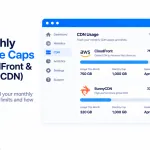
Some CDNs include a monthly usage allowance for each website, and two of ours — Amazon CloudFront and BunnyCDN — work this way.
Read article →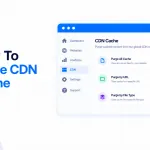
Made a change to your site — edited your code, updated files on a Static HTML site, or tweaked something in WordPress…
Read article →
Getting to grips with a new hosting dashboard can feel like a lot — especially one as packed with features as our…
Read article →
Every so often a site’s Cloudflare zone can expire — and when it does, your PBN LTD dashboard now spots it and lets you put it right in a single click.
Read article →
How to lift the WordPress upload limit on our hosting with a free plugin (up to 1GB), plus the one big gotcha: CloudFlare's 100MB cap and the temporary bypass we can put in place for you.
Read article →
SSL (HTTPS) is handled for you on PBN LTD — you don’t need to install certificates, buy anything extra, or mess with plugins.
Read article →
Not sure which CDN to pick? Here's the simple breakdown of Cloudflare, BunnyCDN, KeyCDN and CDN77 — with a quick comparison table to help you choose.
Read article →
Your site is protected from DDoS attacks automatically by our Flood guard — it detects a flood, switches on protection and emails you, keeping your site online without affecting others. For hands-on control, use the Security tab: I’m Under Attack mode, firewall rules and bot protection.
Read article →
Hit a Cloudflare error when adding your domain? Don't panic — here's exactly what each common Cloudflare notice means and how to fix it in minutes.
Read article →
Yes — you can now change your CDN in one click, right from your dashboard. Open the site’s CDN tab and click Move to Cloudflare, BunnyCDN, CDN77, Gcore or KeyCDN. Your old CDN keeps serving until the new one is proven, so there’s no downtime (CloudFront moves are done for you by support).
Read article →