
Affiliate Programme – Earn On Everyone You Refer
Join free, share your tracked links and earn a recurring commission on every payment of the customers you refer.
Read article →Manage your subscription, update payment methods, fix billing errors, and handle account changes.
Join free, share your tracked links and earn a recurring commission on every payment of the customers you refer.
Read article →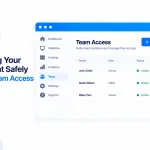
Team Access lets colleagues, freelancers or your accountant work in your account with their own login — never your password. Invite by email, choose which sites they see and what they can do (23 permissions, or a ready-made role), and watch everything in the Activity log. Only you manage access, and you can remove anyone in a click.
Read article →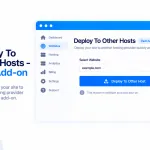
A paid add-on ($9/month) that publishes your sites to your own accounts at eight external hosts — GitHub Pages, Cloudflare Pages, Netlify, Vercel, GitLab Pages, Render, Azure Static Web Apps and AWS Amplify. Connect with your own token, deploy from a zip, your hosted files or a repo, with one-click rollback and custom domains.
Read article →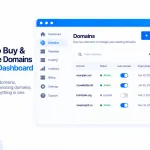
Search, register and manage domains without leaving PBN.LTD. Find a name across 2,000+ extensions, pay securely on the registrar’s page (we never see your card), follow the order, and have any waiting site pointed at it automatically.
Read article →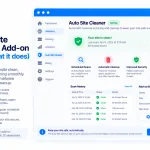
Site Cleaner clears out unused plugins, themes, database leftovers, old revisions, cache and junk — keeping your sites lean and inside their limits. Scan any site free to see what would go; the clean is a paid add-on, backed up and undoable for 7 days.
Read article →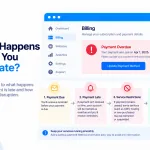
If your plan has lapsed, pay on the Subscriptions page — it shows exactly which dates your payment covers before you pay. Your paid time runs from your original renewal date, not the day you pay, so if you’re well overdue, choose enough months to reach a future date and your sites come back within about a minute.
Read article →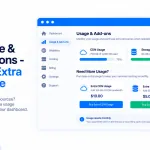
Understand your site’s Disk space, Database and Files (inodes) usage, see it on the Usage & add-ons page, and buy extra in $3/month blocks (+5 GB, +500 MB or +5,000 files) if you need it — or clean up and hit Check now instead. A site over a limit is paused until it’s back under.
Read article →
Need just one or two more sites than your package holds? Instead of jumping up to the next package, you can now add single extra hosting slots for $2.00 per site per month — so you only pay for exactly what you need, when you need it.
Read article →
Getting to grips with a new hosting dashboard can feel like a lot — especially one as packed with features as our…
Read article →
PBN LTD runs on monthly billing by default, but you can pay quarterly, yearly, or for multiple months upfront — here's how to do it via one-time payments or a direct payment request.
Read article →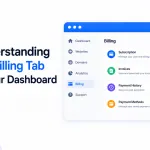
The Billing tab is in everyone's dashboard, but only shows invoices for Fastspring payers. Here's where to find your billing records whether you pay by Fastspring, PayPal, or Crypto.
Read article →
Paid and your sites are still frozen? They shouldn't be for long — frozen sites now come back online automatically the moment your payment is confirmed, usually within about 30 seconds. Here's how it works and what to check if one lingers.
Read article →
Your 7-day free trial doesn't require a card, so nothing is auto-charged when it ends — your sites just pause. Here's how to subscribe in 2 minutes from your dashboard, plus a full breakdown of every payment method (PayPal, Fastspring, Crypto).
Read article →
Upgrade, downgrade or cancel your PBN LTD plan yourself, any time, from the Subscriptions page. Upgrades now charge only the prorated difference and start immediately — on card, PayPal and crypto — and downgrades start at your next billing date with no charge or refund.
Read article →
Need to switch from card to PayPal - or between different cards or PayPal accounts? Here's how to change your payment method on PBN LTD safely.
Read article →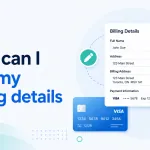
Need to update your card details, PayPal account, or billing address on PBN LTD? Follow the right steps for your current payment method below.
Read article →
If you are using Card/Debit Card (Fastspring) payments and you notice the 'We regret that your order could not be accepted...' notice. Here is why and the solution!
Read article →