
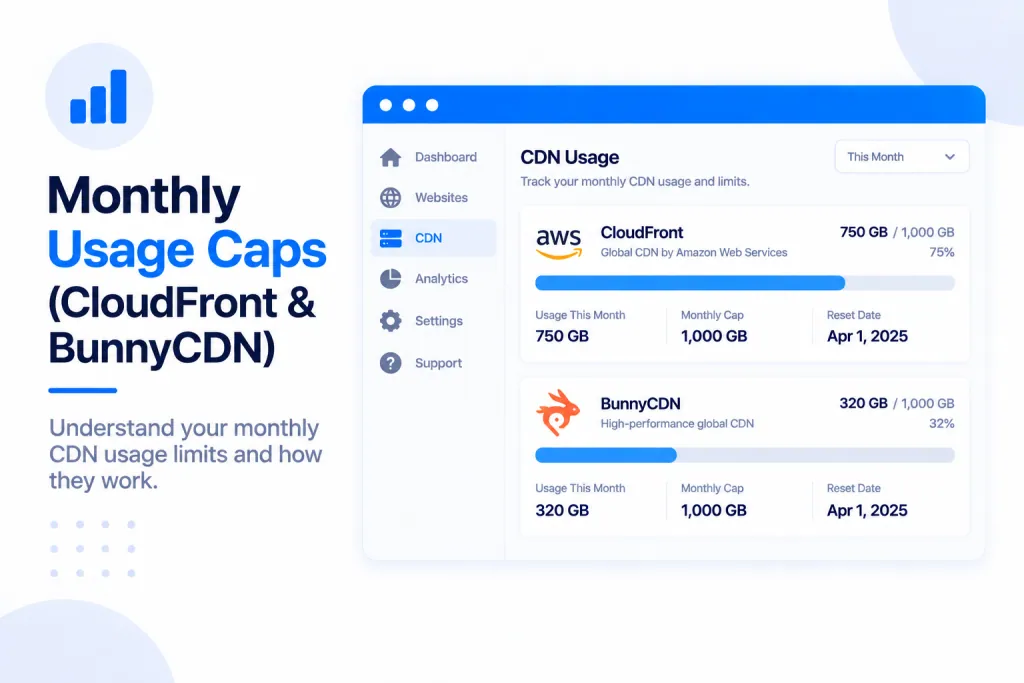
Some CDNs include a monthly usage allowance for each website, and two of ours — Amazon CloudFront and BunnyCDN — work this way. If a site uses up its allowance before the month is out, it’s temporarily suspended until the 1st of the following month, unless you top up its usage or switch it to a CDN with no monthly cap (such as Cloudflare). We email you well before that point, so you’re never caught by surprise.
💡 Heads-up
You’ll get an email at 50% and again at 80% of a site’s monthly usage, with the option to buy more usage or you can switch CDN. Nothing is suspended at those stages — a site is only paused once it reaches 100%, and even then it comes straight back on the 1st when the allowance resets or as soon as you buy extra usage
Which CDNs have a monthly cap
Two of the CDNs we offer include a set amount of usage per website each month:
- Amazon CloudFront
- BunnyCDN
Other CDNs — Cloudflare, for example — have no monthly usage cap at all, so a site on one of those is never suspended for going over an allowance. If you’d rather not keep an eye on usage limits, moving a busy site to an uncapped CDN is the simplest way to avoid them.
The warning emails you’ll get
We let you know how a site is tracking against its monthly allowance at three points, so there’s plenty of time to act before anything is paused:
| Usage reached | What the email tells you | What you can do |
|---|---|---|
| 50% | You’ve used half of this site’s monthly allowance. | Nothing needed yet — just a heads-up. Buy more usage or switch CDN if you expect a busy month. |
| 80% | You’re getting close to the limit. | Buy more usage, or switch the site to an uncapped CDN. |
| 100% | The allowance is used up and the site has been temporarily disabled. | Buy more usage or switch CDN to bring it back before the 1st. |
What happens when a site hits its cap
Once a website reaches 100% of its monthly usage, it’s temporarily disabled. It stays that way until the 1st of the following month, when the monthly allowance resets and the site comes back on automatically. Nothing is lost — only that one site’s traffic is affected, and only until the reset date or until you take one of the actions below.
Your options: top up or switch CDN
If a site is approaching or has reached its cap, you have two ways to keep it running:
Option 1 — Buy more usage for the site
Top up the site’s allowance for the current month. This keeps it running if it hasn’t been suspended yet, or brings it straight back if it has. The extra usage lasts until the monthly reset on the 1st.
Option 2 — Switch to an uncapped CDN
Move the site to a CDN with no monthly cap, such as Cloudflare. Once switched, it isn’t subject to a monthly allowance at all, so it won’t be suspended for usage again.
How you’ll know a site is suspended
If a site is temporarily disabled for hitting its cap, you’ll see it in two places in your dashboard, on top of the 100% email:
- The site’s online / offline status changes to reflect that it’s been disabled.
- A notification appears at the top of your main dashboard whenever any of your sites are suspended for this reason.
When your usage resets
Monthly usage restarts on the 1st of every month. Any site that was suspended for going over its allowance comes back online automatically at that point, with nothing for you to do. If you’d rather not wait for the reset, topping up the usage or switching CDN brings it back sooner.
⚠️ Before you wait for the reset
If a site reaches 100% and you don’t buy more usage or switch its CDN, it stays temporarily disabled until the 1st of the next month. It’ll come back on its own then — but it won’t serve any traffic in the meantime. For a live site you need kept up, top it up or switch CDN rather than waiting for the reset.
✅ Quick summary
CloudFront and BunnyCDN cap each site’s usage per month. You’re emailed at 50%, 80% and 100%. At 100% the site is temporarily disabled until the 1st, shown by its online / offline status and a notice at the top of your dashboard. To bring it back sooner — or avoid the cap altogether — buy more usage or switch to an uncapped CDN like Cloudflare.