
If you run more than one site, the useful question is not “is this site fine?” but “what would somebody find if they went looking for the rest?”. The footprint checker runs the checks anyone else can run on you – the same public lookups, the same page comparisons – across every site you choose at once, scores the set out of 100, and tells you what each finding means and exactly what to change. You do not need hosting with us to use it: sites you host elsewhere can be included too.
💡 It scores the SET, not one site
A footprint is something sites have in common, so a single site cannot really have one. That is why the score belongs to a group of sites, and why adding a site you host elsewhere usually changes the picture more than anything else you can do here.
What it checks
Everything below is public. None of it needs special access – which is the point: if we can see it, so can anyone.
- Addresses and nameservers – the two lookups anyone starts with. Sites answering on one address, or using one nameserver pair, are joined up by a single query.
- Tracking codes in your pages – analytics accounts, tag containers, advertising ids, pixels and verification codes. These sit in the page source where anybody can read them, and there are free tools that take one code and list every site carrying it.
- The build – the theme, the plugin list and the version line a site announces. One site on a popular theme means nothing; several sites on the same theme and the same plugins is a signature.
- Re-used pieces – the site icon, robots.txt and the footer wording. People change the words on a page and forget all three.
- Links between your own sites – the most visible connection there is, because every crawler follows links by design.
- Mail records – where each domain hands its mail. Public, and usually forgotten, because it has nothing to do with the pages.
- Registration details – the registrar, and whether the domain publishes a registrant name instead of a privacy service.
- Certificate history – every certificate ever issued for a domain is written into public logs. One certificate naming several of your domains ties them together permanently, and a log entry cannot be taken back.
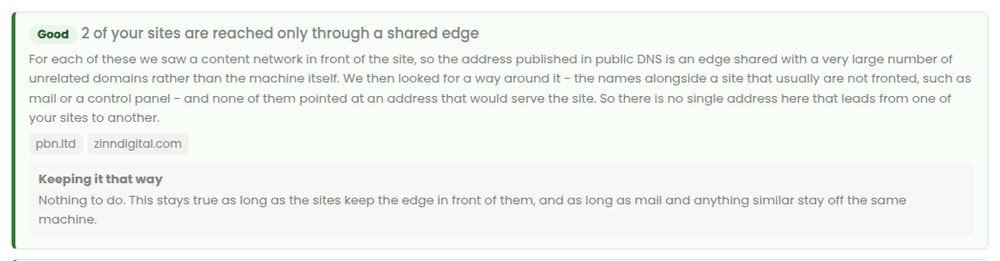
- Whether the site answers directly – we ask the address in public DNS for the site by name, bypassing whatever sits in front of it, and report what happened.
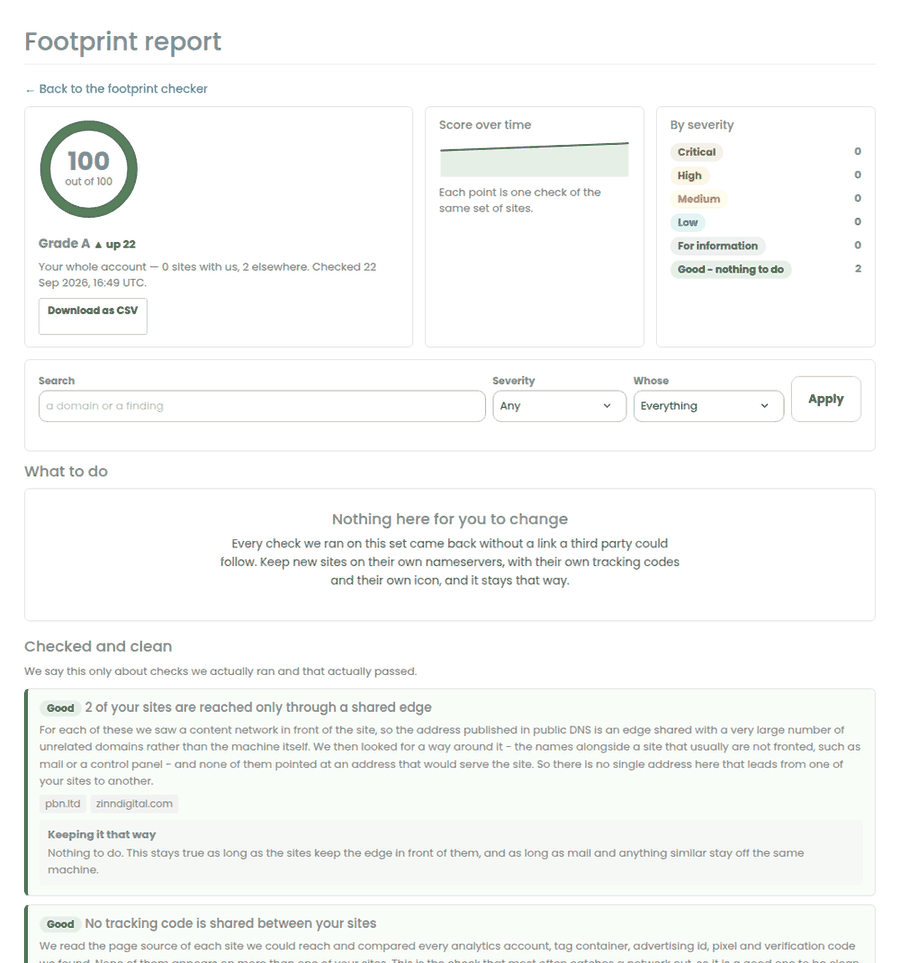
Choose what to check
Open the footprint checker and choose the scope. Most people run the whole account first, then use groups once they know what they are looking at.
- Your whole account – every site you host with us plus every external site you have added. This is the view the score is really for.
- A site group – if you keep your sites in groups, each group is checked on its own. This is usually what you want when different groups point at different money sites, because a link between two groups matters far more than a link inside one.
- One site – useful for a quick look, though remember a single site can only be compared with the others in the same run.
- A selection – any mix of your sites, including external ones.
Reading the report
Findings come in three blocks, and the order is deliberate.
- What to do – things you can change, worst first. Severity is about how strongly a signal ties your sites together, not about how alarming it sounds: a shared analytics code is critical because one lookup returns your whole list, while a shared registrar is minor because millions of domains share one.
- We are handling this – anything caused by how the hosting works rather than by you. There is nothing for you to do; we fix these for everyone at once. We still show them, because you are entitled to know what is visible about your sites.
- Checked and clean – what we looked at and found nothing wrong with. We only ever say this about a check that actually ran and actually passed.
Each finding lists the sites it affects, so you can see whether it is two sites or forty. The Download as CSV button gives you the lot, which is the easy way to hand the work to somebody else.
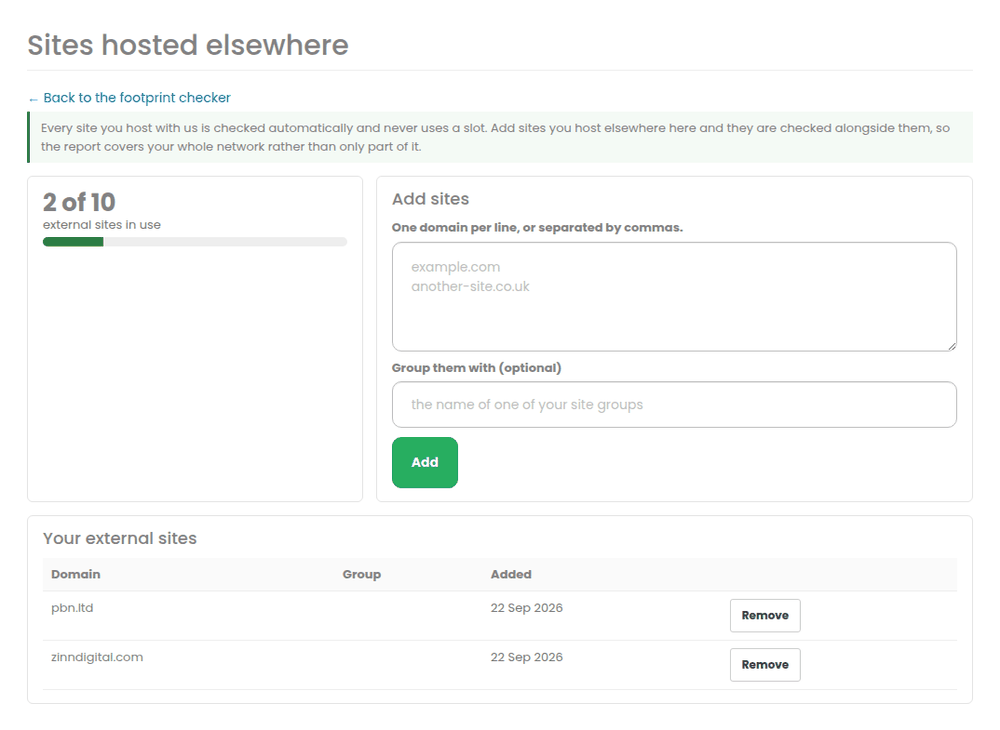
Including sites you host elsewhere
Sites you host with us are always included and never use a slot. Sites hosted elsewhere are added under Sites hosted elsewhere and are counted against your plan.
- Add them one per line, or pasted in as a list.
- Packs stack and mix, so any number works – if you need 130 external sites you can combine packs to get there.
- If you run out of slots we offer the next pack rather than simply refusing.
- Removing a site frees its slot straight away, not at the end of the month.
How often it runs
- Automatically every month, or every week on the higher tier.
- Check now whenever you want, within a fair-use number each month. Automatic checks never count against that number, and nothing is ever charged extra for pressing the button.
- Automatically again when something material changes – a new site, a nameserver change, a move to a different content network, a theme change.
When we e-mail you
Only when the score drops, or when a new kind of finding appears. Never one message per finding, and never more than one message per check. You can turn them off entirely on the footprint checker page.
The fixes that are worth doing first
- Shared tracking codes. One lookup, your whole list. Give each site its own, and report on them together in your own dashboard instead.
- A public registrant name repeated across domains. Registration records are searchable by name. Turn on privacy at your registrar; it is free at most of them.
- Links between your own sites. Link outward to the site you want to rank and to genuinely unrelated sources. One or two sideways links are natural; a web of them is not.
- One certificate covering several domains. Have a separate one issued per site. The old log entry stays for ever, but nothing new is added.
- Shared nameserver pairs. Spread the sites across different DNS accounts. A second account costs nothing at most providers.
- The same icon, robots.txt or footer everywhere. Cheap to fix and genuinely noticed – re-saving an icon is enough to make the file differ.
Related
More about Footprint checker: Footprint checker on pbn.ltd · all SEO tools