
If you look after somebody else’s sites, the monthly report is the job nobody enjoys: five tabs open, numbers copied into a document, the same three sentences about what moved, a PDF, an e-mail. Client reports does it from what your account has already collected. You set up your logo and colours once, add a client and their domains, and choose how often. Each report opens with a plain “what changed since last time” that a non-technical client can follow, and is read on a private link that expires or downloaded as a PDF. You do not need hosting with us, and a report never uses any of your search credits.
💡 A report costs you nothing to make
It only reads figures your account has already collected, so it never spends a rank check, an index check or anything else. Make as many as your plan allows.
Set up your look
Open Client reports and press Your logo and colours. Give the look a name, put in your agency name, upload a logo and pick your two colours — the main one for the rule and the buttons, the other for headings. You can add an opening paragraph and a sign-off that appear on every report.
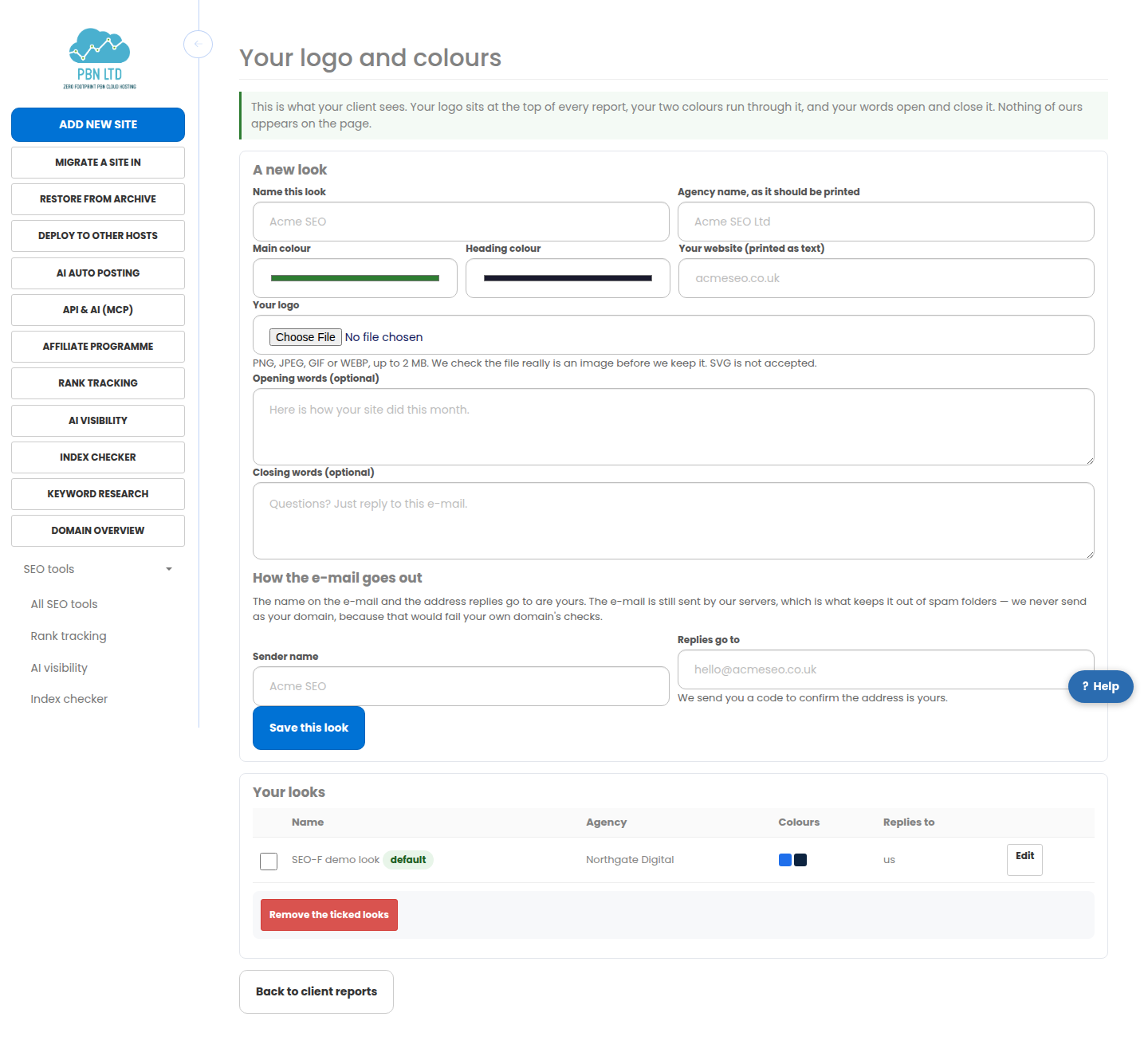
- Logos are accepted as PNG, JPEG, GIF or WEBP. We check the file really is an image before we keep it.
- Keep several looks if you run more than one brand, and choose which look each client gets.
- On the higher plans the e-mail carries your own sender name, and replies come back to your address once you have confirmed the code we send there.
About the sending address
We are straight with you about this because it affects whether your client ever sees the report. The name on the e-mail is yours and replies go to your address, but the message is still delivered by our servers.
Sending as your own domain would mean forging mail from it, which fails the anti-spoofing checks your domain publishes and lands the report in a spam folder. Your client sees your name, replies reach you, and the report actually arrives.
Add a client
Give the client a name, list their domains one per line, and add the addresses that should receive the report. Everything your account already tracks for those domains goes in. Leave the domains empty and the report covers the whole account, which is what you want if you are reporting to yourself.
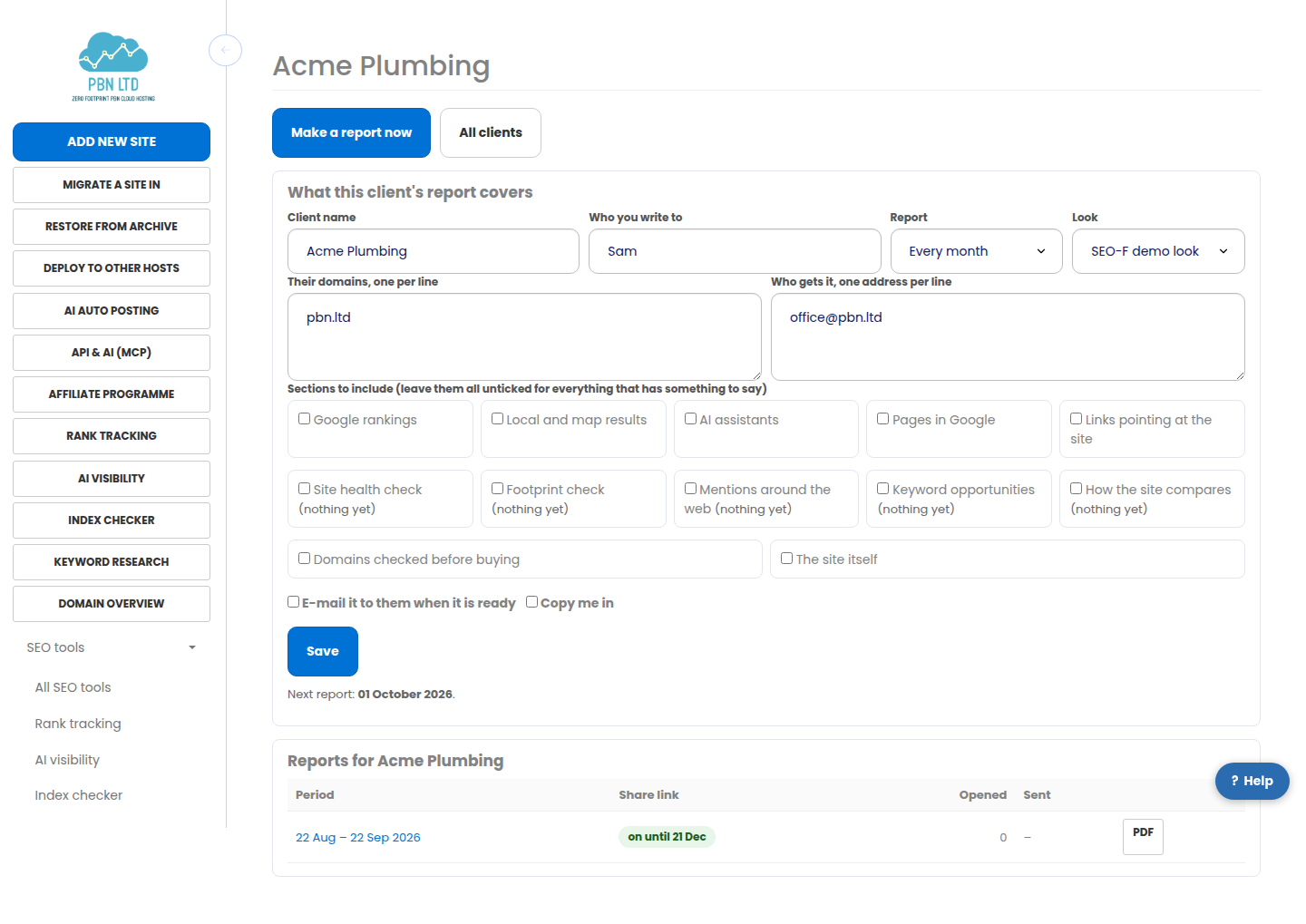
- Tick the sections you want, or leave them all unticked and we include everything that has something to say.
- Choose weekly, monthly, quarterly, or “only when I ask”.
- Decide whether we e-mail it to them when it is ready and whether we copy you in.
What goes in a report
Whatever this account already collects for that client’s domains:
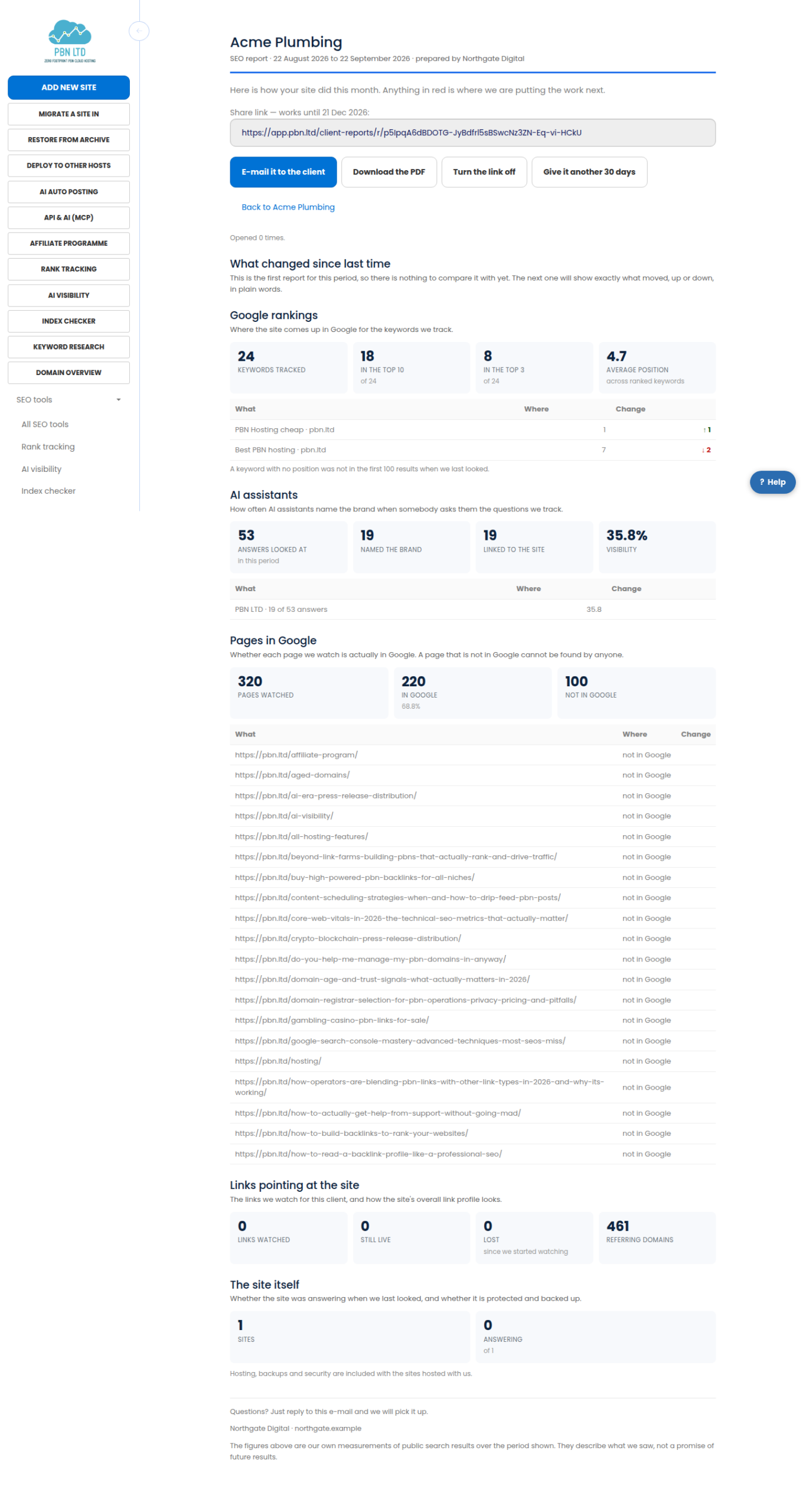
- Google rankings – keywords tracked, how many in the top ten and top three, the average position, and the biggest moves both ways.
- Local and map results – map-pack positions town by town for a business with an address.
- AI assistants – how often they name the brand when asked the questions you track.
- Pages in Google – how many of the pages you watch Google actually has, and which it does not.
- Links, the site audit and the footprint check – where you run them.
- The site itself – whether it was answering when we last looked.
Share links and PDFs
Every report gets a private link. It is unguessable, it expires by itself after a period set by your plan, and it is never indexed by a search engine. The page it opens carries your branding and nothing about your account.
- Turn the link off and it stops working immediately for everybody who has it. You can turn it back on later.
- Give it another 30 days extends it without making a new report.
- You can see how many times a client opened it, and when.
- The same report downloads as a PDF with your logo, for anybody who prefers a file.
A link that has expired, been turned off or never existed shows the same short page, so a guessed address never tells anybody whether a report exists.
Letting it run itself
Once a client has a cadence, we build the report on the due date, e-mail it if you asked us to, and set the next date. If a month would take you past your plan’s allowance we skip that client rather than charge you, and the report waits for the new month.
- Set the cadence to “only when I ask” if you would rather read every report before it goes.
- Press Make a report now on any client at any time.
- The public API can list your clients, make a report, fetch it and turn a share link off, if you would rather drive it from your own system.
Related
- Local Rankings – Get Your Business Onto The Map
- Rank tracking – see where your sites come up in Google
- Client reports on pbn.ltd
More about Client reports: Client reports on pbn.ltd · all SEO tools