
A domain can only have its email in one place at a time. The Mail tab of any site first tells you where your email goes today, and then offers exactly one thing to do about it – so you never have to guess whether a button is going to break your mail.
💡 Nothing moves your old mail
Changing where email is delivered only affects messages sent after the change. Everything already in your old mailboxes stays there, so copy anything you want to keep before you close that account.
What the Mail tab shows
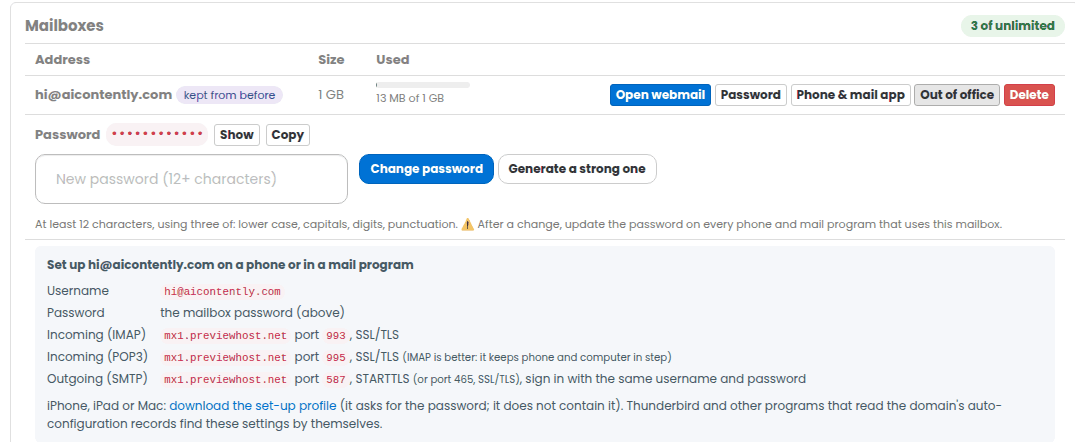
- Your mailboxes are here – you see the list, how full each one is, webmail in one click, and the settings for a phone or mail program.
- Mail is not set up yet – one offer: set it up. One mailbox is included with the site.
- Your email is handled by someone else – one card naming the provider, when we last checked, and the mail records we read it from. From there you can move the mail to PBN.LTD Mail, or open Change provider.
- We do not publish this domain’s DNS – the tab never pretends to do it for you: it lists the exact records, with a copy button, and names where they have to be added.
We work out where your email goes from the domain’s public mail (MX) records. The answer is stored, so the page is instant; Check again measures it now.
Moving your email to PBN.LTD Mail
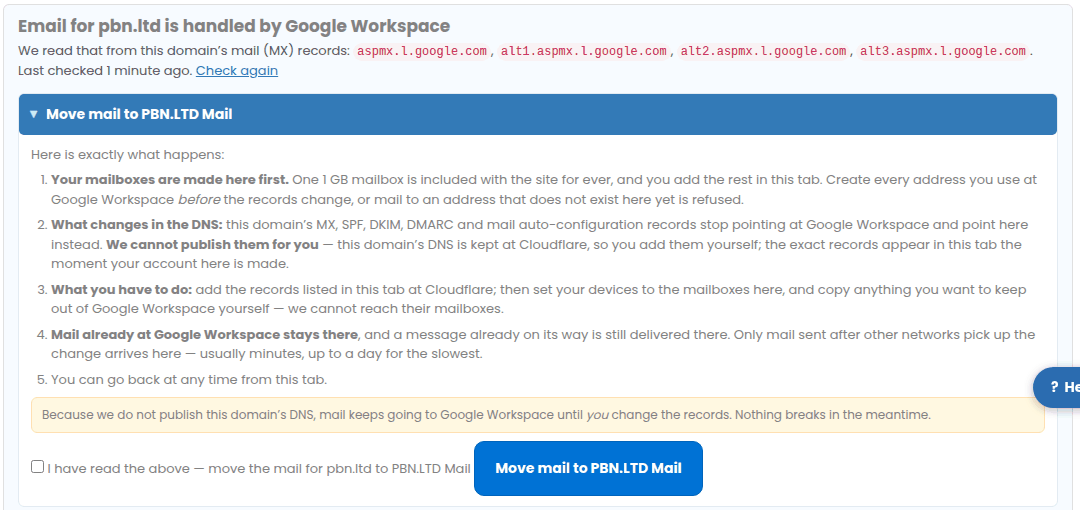
- Open the site’s Mail tab and press Move mail to PBN.LTD Mail. Read what it tells you – it is the same list as here.
- Your mail account here is made straight away. Create every address you already use before the records change, or mail to an address that does not exist here yet is refused.
- If we publish your DNS, the records change for you within about a minute. If we do not, the tab lists them and you add them where your DNS is kept.
- Point your phone and mail program at the new mailboxes, and copy anything you want to keep out of the old account yourself – we cannot reach it.
Other networks pick the change up within minutes, and a slow one can take up to a day. During that time a message may still arrive at the old provider; nothing is lost.
Using another provider instead
Under Change provider we set up Google Workspace, Microsoft 365 or Zoho Mail for you: choose it, paste the verification code and DKIM key from that provider’s own console if you have them, press Show what will change to see every record first, then confirm. Your own DNS records are never overwritten – any that would clash are set aside and put back if you undo the switch.
For any other provider, add their MX records wherever your DNS is kept; the tab will then name them the next time it checks.
When your DNS is not kept here
Some domains keep their DNS in their owner’s own account or at their registrar. We never change a zone we do not publish, so in that case the tab shows the records and where to add them, and your mail keeps working exactly as it does until you add them.
Questions
- Will this break my website? No. Mail records are separate from the records that serve your site.
- Can I go back? Yes, at any time, from the same tab.
- Why does it still say the old provider? Press Check again – public DNS can take a little while to show the new records.