
Keyword research turns one keyword into hundreds of real ones, each with the numbers that decide whether a page is worth writing: how often it is searched, what advertisers pay for a click, how competitive it is, how hard the top ten looks and what the searcher wants. It works for any site, in any country and language — you do not need hosting with us to use it.
💡 Asking the same question twice is free
Your plan includes a number of keyword lists a month. Re-opening a search you already ran, or asking the identical question again within 30 days, uses no credit at all — so you can come back to a result as often as you like.
Search a keyword
Open Keyword research in the menu, type one keyword (two or three words works best), choose the country and language you care about and pick what you want to see. The answer comes back in a few seconds.
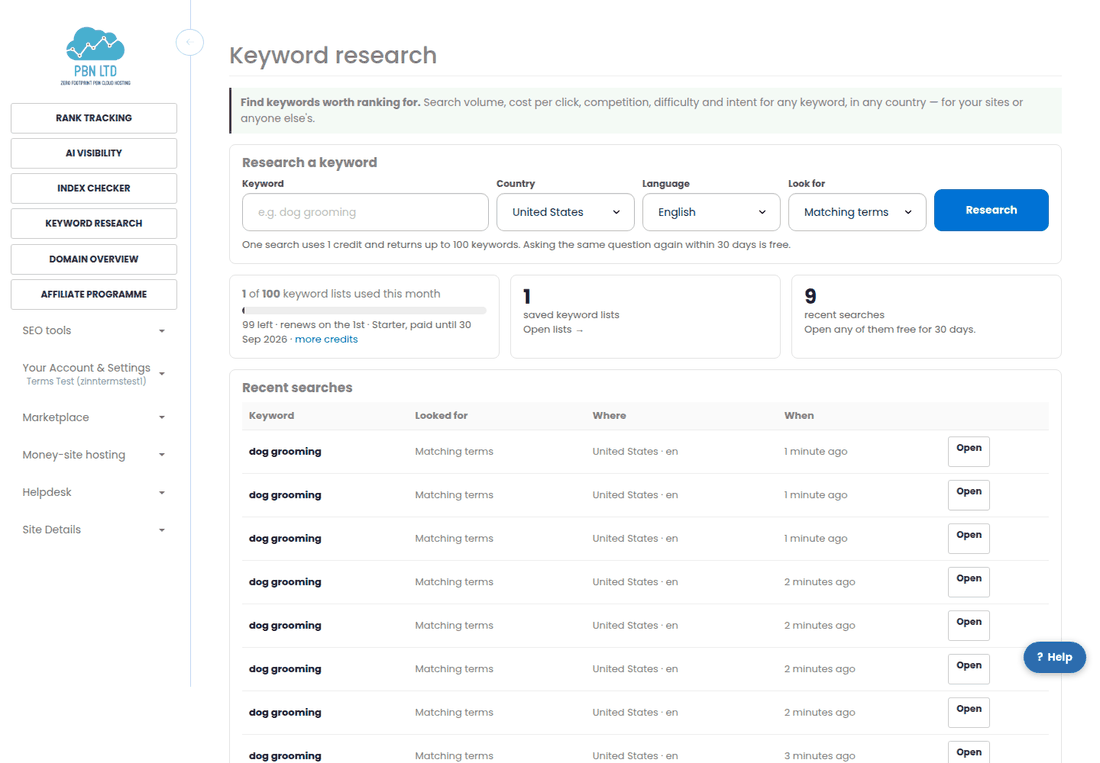
- Matching terms – everything people search that contains your keyword. Start here.
- Related searches – what people search around the topic, including phrases that do not contain your words.
- Questions – how, what, why, can, should. These make the best article headings.
- Broader ideas – the wider topic, for planning a whole site or a category.
Each of those is one list of up to 100 keywords and uses one credit. The meter on the page always shows how many you have used this month.
Read the numbers
Every keyword comes with the figures you need to judge it. The card at the top of the page is the keyword you asked about; the table underneath is everything we found.
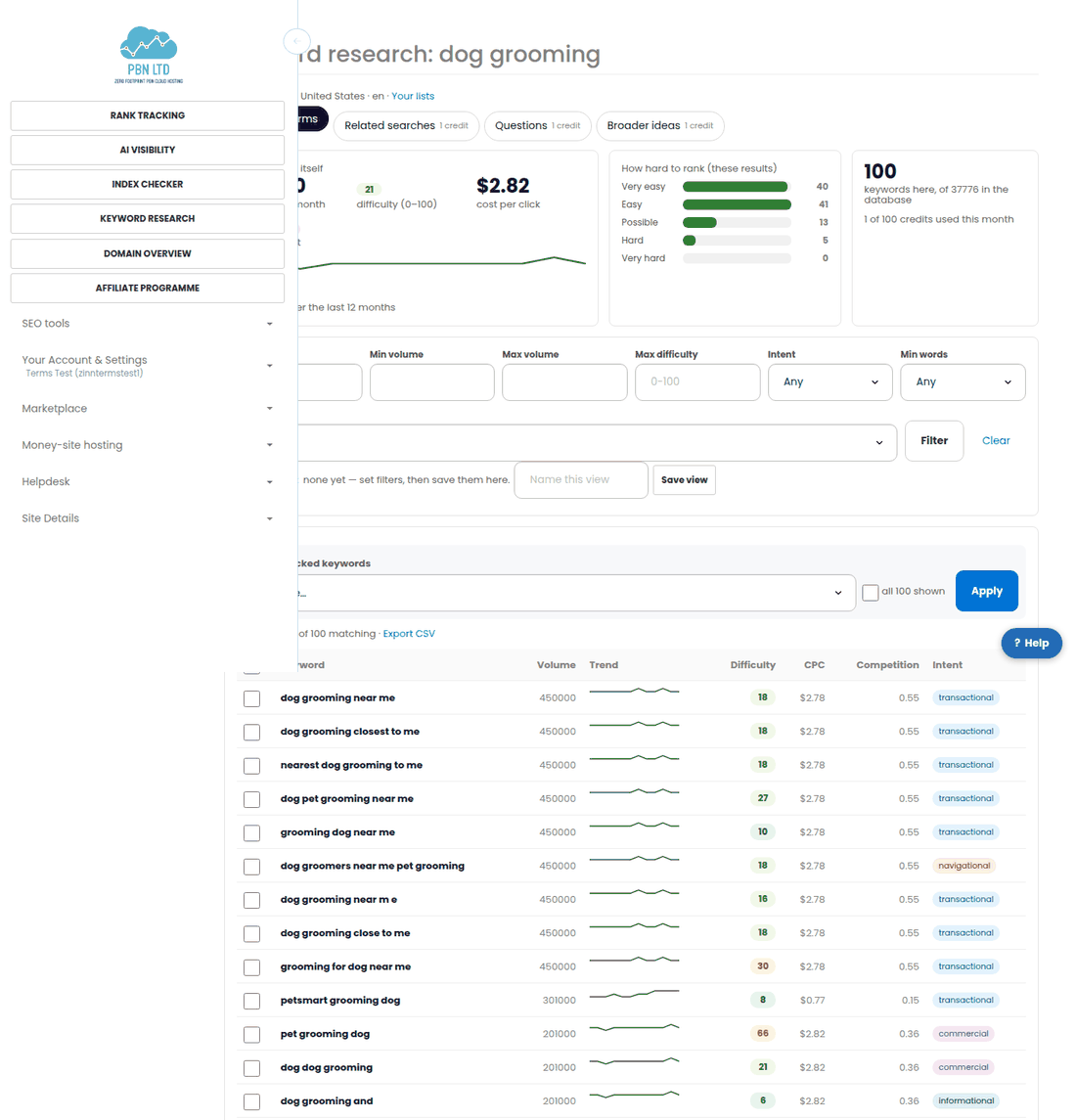
- Volume – average searches a month in the country you chose.
- Trend – the last twelve months, so you can see seasonal peaks and dying topics at a glance.
- Difficulty – 0 to 100, an estimate of how strong the pages already in the top ten are. Under 30 is realistic for a young site; over 70 needs authority.
- CPC – what advertisers pay for one click. A high CPC means the traffic converts into money.
- Competition – how contested the keyword is among advertisers, 0 to 1.
- Intent – informational, commercial, transactional or navigational. Match the page you write to the intent, or you will rank and get no sales.
Filter down to what you can win
The filter row above the table runs on our side, over the result you already have, so it costs nothing and you can try as many combinations as you like.
- Set a minimum volume so tiny phrases drop out.
- Set a maximum difficulty that matches your site’s strength.
- Keep one intent, or ask for 3+ words to see only long-tail phrases.
- Sort by volume, easiest first, or highest CPC.
When a combination works for you, name it in Save view and it will be one click away on every future search.
Volumes for a region or city
National volume is the wrong number for a local business. Tick the keywords you care about, choose Local volumes, type a city or region and pick it from the list. You get the searches a month in that area beside the national figure.
“No data” means there are too few searches in that area to report — useful information in itself. A local-volume run uses a few credits, and it is free if you ask for the same keywords and area again.
Save lists and export
Tick the keywords you want to keep and choose Add to a keyword list. A list can belong to one of your sites or be a project of its own, and you can add to it from any search, in any country.
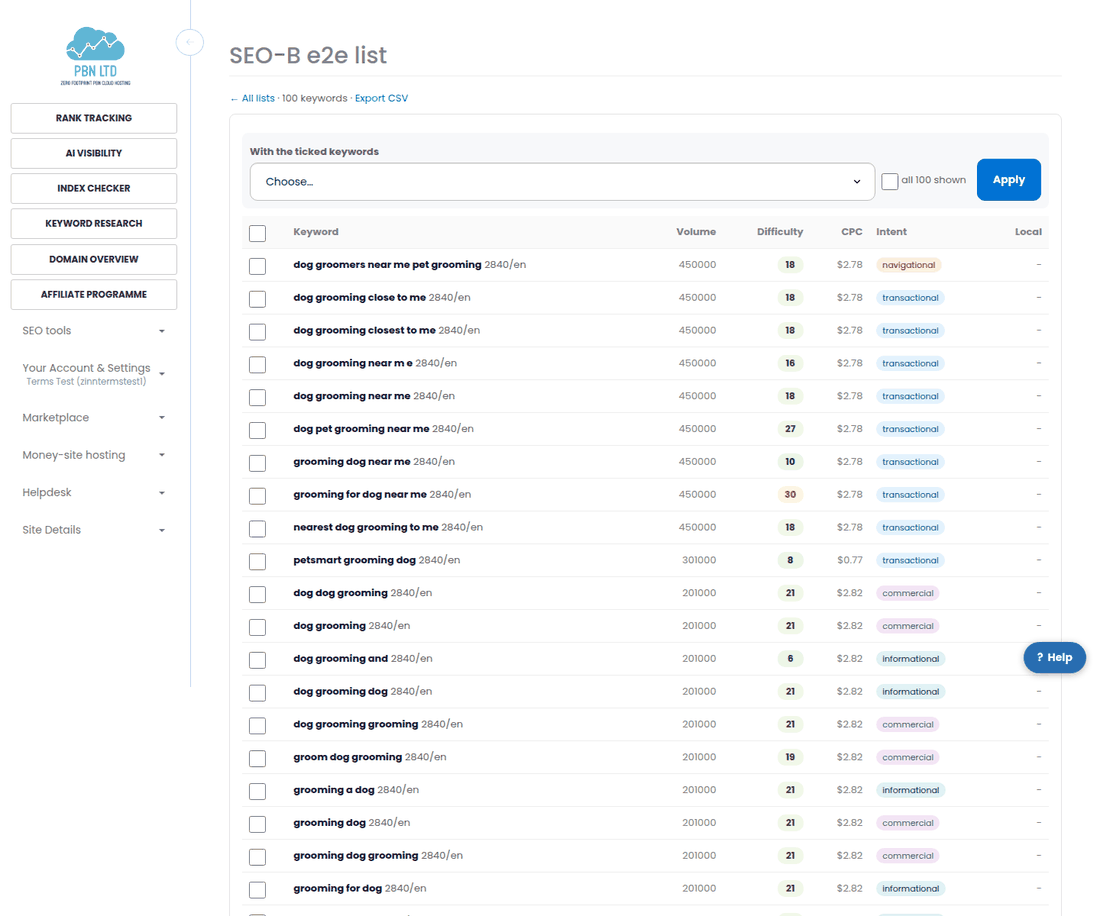
- Export CSV on the list page gives a file you can hand to a writer or open in a spreadsheet.
- Remove keywords you have changed your mind about with the same tick boxes.
- Local volumes you fetch for a list are stored on it, so the file carries them too.
Send keywords to rank tracking
Research tells you what to aim at; rank tracking tells you how you are doing. Tick the keywords, choose Track in rank tracking, pick the domain and the device, and they are added to your tracker in the same country and language you researched them in.
If rank tracking is not on your account yet, we show you the plans instead and nothing is lost — come back and tick them again afterwards.
Through the API or an AI assistant
Everything on the page is also in our public API and MCP server: research a keyword, fetch local volumes and read your saved lists with an API key scoped to research:read and research:run.