
Support & Help
Abuse Reports – What They Are And How To Answer One
What an abuse report about one of your sites means, where to find it, and how to answer it before its deadline.
Read article →Search our guides and articles, or browse by category below.
Manage your subscription, update payment methods, fix billing errors, and handle account changes.
Learn about our integrated CDN providers and how to choose the right one for your site.
Manage your DNS records on PBN LTD — A, CNAME, MX, TXT, propagation times, and troubleshooting.
Set up and use email on your domain — webmail access, IMAP/POP3/SMTP settings, and common fixes.
Step-by-step guides for migrating your website to PBN LTD quickly and with minimal downtime.
Fixes for common WordPress, plugin, and code-related issues that aren't caused by hosting
What each domain status means — OK, Error, Waiting DNS Update — and how to fix issues.
How to create, manage, and access subdomains on PBN LTD, including the NTCloud subdomain dashboard.
How to contact support, submit a ticket, and what information to include for the fastest response.
Guides and tutorials for getting the most out of the PBN LTD dashboard and its features.
What an abuse report about one of your sites means, where to find it, and how to answer it before its deadline.
Read article →Join free, share your tracked links and earn a recurring commission on every payment of the customers you refer.
Read article →Connect your own Cloudflare or Bunny.net account so a site's DNS and CDN live in an account you own.
Read article →Turn on I'm Under Attack mode, add your own firewall rules and block AI crawlers for a site on Cloudflare, from the site's Security tab.
Read article →For sites on Cloudflare: pages served from the CDN so they load faster and survive traffic spikes, without caching logins, carts or checkouts.
Read article →Raise a site's memory limit, upload size or execution time, and switch optional PHP modules on or off, from the site's PHP tab.
Read article →Search aged domains by authority metrics, referring domains, niche, TLD and language, and buy one online; our team transfers it to you.
Read article →Check page by page whether Google has indexed your URLs, re-check them on a schedule and get one e-mail when pages get in or drop out.
Read article →Find out every week whether ChatGPT, Google AI Overviews, Perplexity and other assistants mention your brand, in what position, and who they cite instead.
Read article →Track where any domain ranks in Google for your keywords, by country, city, language and device, with full history and the page that ranks.
Read article →Back a site up every hour to separate storage and roll it back, or download a copy, from the Backups tab.
Read article →
PBN.LTD checks your WordPress, Joomla and Drupal sites every hour and safely repairs the common breakages from imports, restores and interrupted updates — backing up first and emailing what it did. Run it yourself from the Site health check box (Check and repair / Repair site), and reset a locked-out admin password there too. It never touches your themes, plugins or content.
Read article →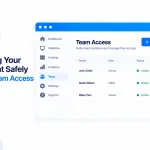
Team Access lets colleagues, freelancers or your accountant work in your account with their own login — never your password. Invite by email, choose which sites they see and what they can do (23 permissions, or a ready-made role), and watch everything in the Activity log. Only you manage access, and you can remove anyone in a click.
Read article →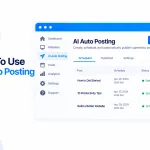
AI Auto Posting writes and publishes articles to your sites automatically, using your own AI account. Add an AI key, create a campaign (sites, topics, schedule, pictures), and approve or edit each article first if you like. Posts to all nine site types, included in your plan — you only pay your AI provider for what it writes.
Read article →
Yes — PBN.LTD has a full REST API (58 endpoints) so you can manage your hosting from your own tools, scripts and dashboards. Create scoped API keys, secure them with an expiry, IP allowlist and rate limits, and revoke instantly. Full docs with curl, Python and JavaScript examples — or connect an AI assistant via MCP.
Read article →
Connect Claude, ChatGPT or any MCP-capable AI assistant to your PBN.LTD account at https://app.pbn.ltd/mcp and manage your hosting just by asking — 59 tools covering everything the API can do, running on your own key’s permissions, limits and audit trail. Watch or revoke any assistant from your API keys page.
Read article →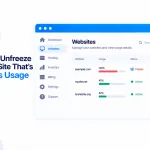
If a site is paused for going over a usage limit (database, disk or files), you can fix it yourself: click “Add space or see usage” then “Unfreeze for 30 minutes to clean up” (3 times a day), clear the bloat — Site Cleaner does it in one go — then Check now. Under the limit? It stays online. Or just add more space.
Read article →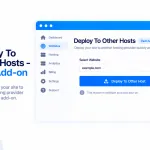
A paid add-on ($9/month) that publishes your sites to your own accounts at eight external hosts — GitHub Pages, Cloudflare Pages, Netlify, Vercel, GitLab Pages, Render, Azure Static Web Apps and AWS Amplify. Connect with your own token, deploy from a zip, your hosted files or a repo, with one-click rollback and custom domains.
Read article →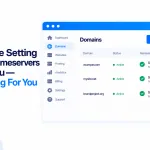
If you see “We are setting the nameservers for you — nothing for you to do”, that’s exactly what it means. For any domain we can handle — bought through us, connected via your registrar, or already pointing at us — we point it at your site automatically, usually within about 10 minutes.
Read article →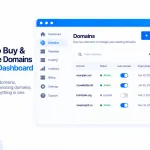
Search, register and manage domains without leaving PBN.LTD. Find a name across 2,000+ extensions, pay securely on the registrar’s page (we never see your card), follow the order, and have any waiting site pointed at it automatically.
Read article →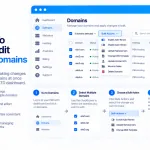
Tick several sites on your Sites list — or all matching a filter — and act on them together: add to a group, change PHP, toggle HTTPS, www or WordPress auto-updates, clear the CDN cache, find and remove a file, or delete. Every action previews first, and the destructive ones need DELETE typed.
Read article →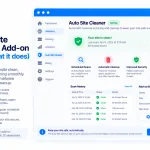
Site Cleaner clears out unused plugins, themes, database leftovers, old revisions, cache and junk — keeping your sites lean and inside their limits. Scan any site free to see what would go; the clean is a paid add-on, backed up and undoable for 7 days.
Read article →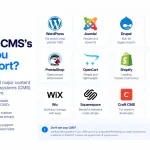
PBN.LTD supports nine site types — WordPress, Static HTML, PHP hosting, Joomla, Drupal, PrestaShop, OpenCart, Grav and MediaWiki. Each arrives installed and tuned, with one-click login, File Manager, SFTP, backups, CDN and more.
Read article →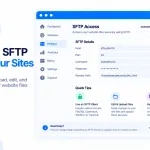
Connect to your site’s files from FileZilla, WinSCP or the command line. Turn SFTP on in one click from your control panel, copy your host, port and one-time password, and manage your files directly.
Read article →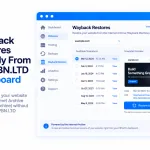
Check any domain for Wayback Machine snapshots for free, then restore a static HTML or WordPress copy straight from your PBN.LTD dashboard. A paid add-on — $3 per restore, or buy a restore pack to bring the price down.
Read article →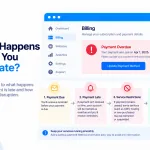
If your plan has lapsed, pay on the Subscriptions page — it shows exactly which dates your payment covers before you pay. Your paid time runs from your original renewal date, not the day you pay, so if you’re well overdue, choose enough months to reach a future date and your sites come back within about a minute.
Read article →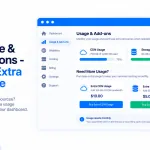
Understand your site’s Disk space, Database and Files (inodes) usage, see it on the Usage & add-ons page, and buy extra in $3/month blocks (+5 GB, +500 MB or +5,000 files) if you need it — or clean up and hit Check now instead. A site over a limit is paused until it’s back under.
Read article →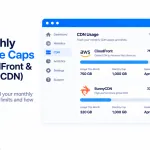
Some CDNs include a monthly usage allowance for each website, and two of ours — Amazon CloudFront and BunnyCDN — work this way.
Read article →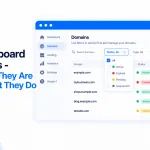
Managing a large network is far easier when you can zero in on exactly the sites you’re after. Right at the top of your main dashboard overview you’ll find a set of filters that let you slice through all your PBN.LTD-hosted domains in seconds — by state, whether they’re online, their CDN, PHP version, index… <br> <a class="read-more" href="https://c3310ed60954e133f28b340c3ad7d48d317637b9.srv33.previewhost.net/knowledgebase/using-our-dashboard/dashboard-filters-what-they-are-what-they-do/">Read more</a>
Read article →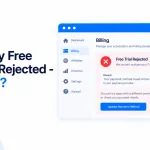
Our 7-day free trial is limited to one per customer — and one per company. If you try to start a trial and see a message saying it's already been used, it means a free trial has already been taken on your account, or by you or your company before. When that happens you'll simply need to choose a paid plan to get started.
Read article →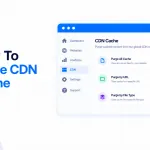
Made a change to your site — edited your code, updated files on a Static HTML site, or tweaked something in WordPress — and it’s not showing on the front end? Almost every time, that’s caching. We automatically apply Cloudflare caching rules to keep your sites fast, and you can clear that cache yourself from… <br> <a class="read-more" href="https://c3310ed60954e133f28b340c3ad7d48d317637b9.srv33.previewhost.net/knowledgebase/cdn-providers/how-to-purge-cdn-cache/">Read more</a>
Read article →
Need just one or two more sites than your package holds? Instead of jumping up to the next package, you can now add single extra hosting slots for $2.00 per site per month — so you only pay for exactly what you need, when you need it.
Read article →
Getting to grips with a new hosting dashboard can feel like a lot — especially one as packed with features as our PBN Hosting. So every new account starts with an automatic guided tour that walks you through the dashboard, showing you what each tab does and where to find everything you need. 💡 Heads-upThe… <br> <a class="read-more" href="https://c3310ed60954e133f28b340c3ad7d48d317637b9.srv33.previewhost.net/knowledgebase/using-our-dashboard/dashboard-guided-tour-get-to-know-the-dashboard-with-a-custom-walkthrough/">Read more</a>
Read article →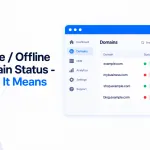
Your dashboard now tells you at a glance whether each of your sites is healthy. Our system automatically scans every domain and reports its status — Online or Offline — right in the main dashboard overview, so you can spot a problem the moment it happens without opening each site one by one. 💡 Heads-upThe… <br> <a class="read-more" href="https://c3310ed60954e133f28b340c3ad7d48d317637b9.srv33.previewhost.net/knowledgebase/status-indicators/online-offline-domain-status-what-it-means/">Read more</a>
Read article →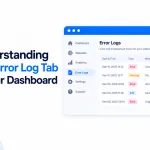
The Error log tab shows the recent PHP and web-server errors for a domain, so you can find the cause of a problem and fix it yourself — without opening a support ticket or asking us to pull the logs for you. If a site goes down or starts misbehaving, this is the first place to look.
Read article →
Want to create a subdomain? Here we will go through step by step how to add subdomains at PBN.LTD!
Read article →
Yes. You can host a subdomain on a completely separate server — anywhere you like — and link it to your domain through the DNS Records panel. You don’t need to create the subdomain here at all
Read article →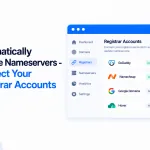
Pointing your nameservers by hand — copying them into your registrar and waiting for DNS — is now optional. Connect your domain registrar accounts to PBN LTD once, and we’ll set the correct nameservers for your sites automatically.
Read article →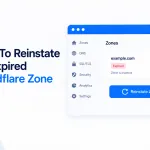
Every so often a site’s Cloudflare zone can expire — and when it does, your PBN LTD dashboard now spots it and lets you put it right in a single click.
Read article →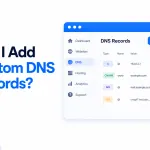
You can add and manage your own DNS records for any domain directly from your dashboard — no need to open a support ticket. The panel supports A, AAAA, CNAME, TXT, MX, SRV, CAA and NS records, and on Cloudflare‑fronted sites you can switch the orange cloud (CDN proxy) on or off for each record.
Read article →
PBN LTD runs on monthly billing by default, but you can pay quarterly, yearly, or for multiple months upfront — here's how to do it via one-time payments or a direct payment request.
Read article →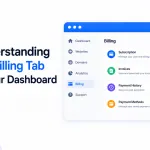
The Billing tab is in everyone's dashboard, but only shows invoices for Fastspring payers. Here's where to find your billing records whether you pay by Fastspring, PayPal, or Crypto.
Read article →
Seeing 'Migrating Site' in your dashboard? Don't worry — our AI load balancer has automatically moved your site to a healthier server. Find out why it happens, what to expect, and what not to do while it's in progress.
Read article →
Paid and your sites are still frozen? They shouldn't be for long — frozen sites now come back online automatically the moment your payment is confirmed, usually within about 30 seconds. Here's how it works and what to check if one lingers.
Read article →
Your 7-day free trial doesn't require a card, so nothing is auto-charged when it ends — your sites just pause. Here's how to subscribe in 2 minutes from your dashboard, plus a full breakdown of every payment method (PayPal, Fastspring, Crypto).
Read article →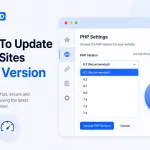
Change your site's PHP version in 30 seconds from the PBN LTD dashboard — no support ticket needed. Step-by-step guide using Site Functions → Edit Site, plus tips on which PHP version to pick and how to roll back if anything breaks.
Read article →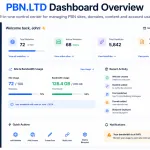
Get a full understanding of how to use our PBN hosting management dashboard.
Read article →
Our system will automatically freeze domains for a few reasons. Find out why and how to resolve the issue here!
Read article →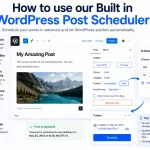
If you want to be able to automatically schedule posts to your PBN websites, days, weeks or months in advance. Then you can use our built in WordPress posting solution! Read on to find out more!
Read article →
Need to update your dashboard login credentials? Whether you’re changing your email or updating your password, it’s quick and easy from within your PBN LTD dashboard.
Read article →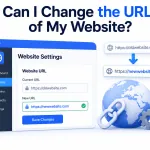
If you want to know how to change the URL of your website. Add/remove www. or Https to your domain. Even after you have added it to our Dashboard. This can be done in one simply step!
Read article →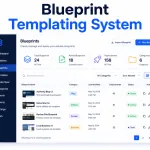
How can I use your Blueprint Templating system & how does it work?
Read article →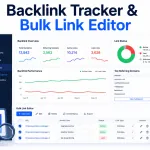
How do I use your backlink tracker & Bulk Link editor?
Read article →
How to lift the WordPress upload limit on our hosting with a free plugin (up to 1GB), plus the one big gotcha: CloudFlare's 100MB cap and the temporary bypass we can put in place for you.
Read article →
Every PBN LTD site is backed up automatically every day. Under Control panel → Backups and restore you can view, download, restore or delete backups, take a manual one with Create backup, or upload your own (.tar.gz only). We keep the last 7 days and always keep your last successful backup.
Read article →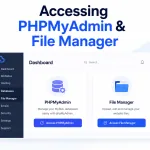
Open File Manager and phpMyAdmin in one click from your site’s control panel — no login to type. File manager is under Files and access, phpMyAdmin under Database (both under Site functions too), and each opens in a new tab already logged in. Take a backup before making changes.
Read article →
Move your website to PBN LTD yourself with the built-in Migrate a site in tool — WordPress, Joomla, Drupal, PHP and static HTML sites. Connect via a WordPress login or our plugin, or cPanel, Plesk, DirectAdmin, FTP or SFTP. We copy your files and database; your old site stays live until you switch.
Read article →
Slow site speed killing your SEO and conversions? Deep dive into every non-hosting cause: images, CSS, JS, plugins, caching, fonts and more — with concrete fixes for WordPress and static HTML.
Read article →
Static HTML site broken on PBN LTD? Fix homepage, 404s, .htaccess errors, missing CSS, case sensitivity and cache — using File Manager only.
Read article →
WordPress Health Check plugin — diagnose plugin or theme conflicts on your live site without affecting visitors. Step-by-step guide.
Read article →
500 Internal Server Error on your site? Fix WordPress and static HTML 500 errors fast — .htaccess, plugins, themes, cache. No FTP needed.
Read article →
Inner page 404 errors on your static HTML site? Almost always a file structure or filename casing issue — diagnose and fix it step by step.
Read article →
Set up 301 redirects on PBN LTD — for WordPress (plugin or .htaccess) and static HTML sites. Step-by-step with copy-paste snippets, no FTP needed.
Read article →
WordPress plugin or theme conflict breaking your site? Walk through every fix — manual /wp-admin/ login, File Manager rename, theme swap, restore backup.
Read article →
"Too Many Redirects" error on your site? Walk through every cause — local cache, www / non-www mismatch, .htaccess, plugins, SSL — and fix it fast.
Read article →
One Click Admin Login (SSO) not working on PBN LTD? Fix it fast — check your domain status, restore a fresh backup, or reactivate the helper plugin.
Read article →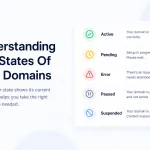
Understand the status states of your domains in PBN LTD — NEW, BUILDING, WAITING DNS UPDATE, ACTIVATING CDN, OK and ERROR — and what each means.
Read article →
Domain showing ERROR in your PBN LTD dashboard? Don’t panic — it’s usually a minor hiccup. Here’s what ERROR means, how to check if your site is actually down, and the two quick fix paths.
Read article →
SSL (HTTPS) is handled for you on PBN LTD — you don’t need to install certificates, buy anything extra, or mess with plugins.
Read article →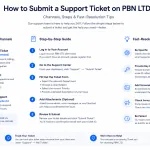
A tour of the PBN LTD Helpdesk tab — Tickets, Report a bug, Make a suggestion, Knowledge base and the ? Help search — plus how to open a support ticket and what to include for the fastest fix.
Read article →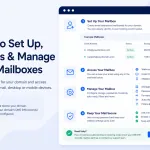
Set up email at your own domain on PBN LTD — add a mailbox when you create a site or later from the Mail section, then read it in Webmail or your favourite app and manage forwarders, catch-all, auto-replies and DKIM/DMARC.
Read article →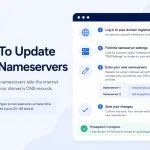
Step-by-step guide to update your nameservers at any registrar — GoDaddy, Namecheap, Cloudflare and more — and point your domain at PBN LTD.
Read article →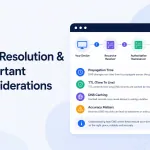
Domain not loading after a nameserver change? DNS usually updates within a few hours — up to 24 hours at most. Learn how to check propagation, safely speed it up, and fix it with our step-by-step DNS troubleshooting checklist (nameservers, DNSSEC, CDN zone and registrar holds).
Read article →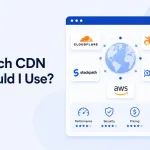
Not sure which CDN to pick? Here's the simple breakdown of Cloudflare, BunnyCDN, KeyCDN and CDN77 — with a quick comparison table to help you choose.
Read article →
Your site is protected from DDoS attacks automatically by our Flood guard — it detects a flood, switches on protection and emails you, keeping your site online without affecting others. For hands-on control, use the Security tab: I’m Under Attack mode, firewall rules and bot protection.
Read article →
Hit a Cloudflare error when adding your domain? Don't panic — here's exactly what each common Cloudflare notice means and how to fix it in minutes.
Read article →
Yes — you can now change your CDN in one click, right from your dashboard. Open the site’s CDN tab and click Move to Cloudflare, BunnyCDN, CDN77, Gcore or KeyCDN. Your old CDN keeps serving until the new one is proven, so there’s no downtime (CloudFront moves are done for you by support).
Read article →
Upgrade, downgrade or cancel your PBN LTD plan yourself, any time, from the Subscriptions page. Upgrades now charge only the prorated difference and start immediately — on card, PayPal and crypto — and downgrades start at your next billing date with no charge or refund.
Read article →
Need to switch from card to PayPal - or between different cards or PayPal accounts? Here's how to change your payment method on PBN LTD safely.
Read article →
Need to update your card details, PayPal account, or billing address on PBN LTD? Follow the right steps for your current payment method below.
Read article →
If you are using Card/Debit Card (Fastspring) payments and you notice the 'We regret that your order could not be accepted...' notice. Here is why and the solution!
Read article →Older how-to articles and hosting tips from our blog — extra reading if you want to go deeper.
Yes we most certainly do! At no extra costs to our customers, we run Google indexing checks on all the PBN websites…
📰 Blog post · 16 September 2026Yes — every domain you add to your PBN LTD dashboard comes with free, unlimited email built in, at no extra cost.…
📰 Blog post · 16 September 2026Short answer: yes. Site speed optimisation is one of the most-requested add-on services we run for hosting clients and external sites alike,…
📰 Blog post · 11 May 2026Short answer: yes, and it's one of the cheapest ways to dramatically improve WordPress performance. If your database has been bloating for…
📰 Blog post · 11 May 2026Short answer: yes, and we'll have your site clean and back online within 2–3 days. Hacked WordPress sites are something we deal…
📰 Blog post · 11 May 2026Choosing the right payment method might seem like a minor decision, but it can significantly impact your workflow, cash flow management, and…
📰 Blog post · 9 March 2026Latest posts about our PBN links service — what we offer, how it works, and what to expect.
The SEO operators performing most consistently through 2026's algorithm volatility are not the ones who abandoned PBN links, nor the ones who…
📰 Blog post · 13 June 2026Blogroll backlinks are one of the most underrated tools in the PBN operator's kit. While the bulk of the SEO industry obsesses…
📰 Blog post · 12 May 2026If you're targeting a single country, generic global backlinks aren't going to cut it. Google has spent more than a decade refining…
📰 Blog post · 11 May 2026If you're trying to rank inside Korea — on naver.com, on daum.net, or on the Korean-language slice of Google — you've probably…
📰 Blog post · 11 May 2026Ranking in Indonesia is a different sport. The keyword volumes are huge, the buyer intent is unusually direct, and the local search…
📰 Blog post · 11 May 2026Crypto is one of the most competitive niches on the open web. Every coin, exchange, wallet, trading platform, and DeFi protocol is…
📰 Blog post · 11 May 2026