
Short answer: you can upgrade, downgrade or cancel your plan yourself at any time, from the Subscriptions page in your dashboard. Upgrading is now simple whatever you pay with — you only pay the difference for the days left on your current plan, and the bigger plan starts straight away.
💡 Good news if you pay with PayPal
Changing plan no longer charges you for a whole new subscription. Card, PayPal and crypto now all credit the time you’ve already paid for — so you’ll never pay twice just to move up a plan.
Opening your Subscriptions page
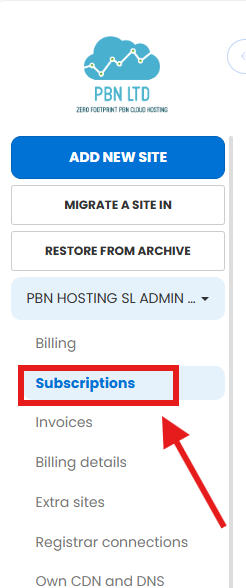
- Log in to your dashboard and click your name (top-right, in the left-hand menu).
- Choose Subscriptions from the menu.
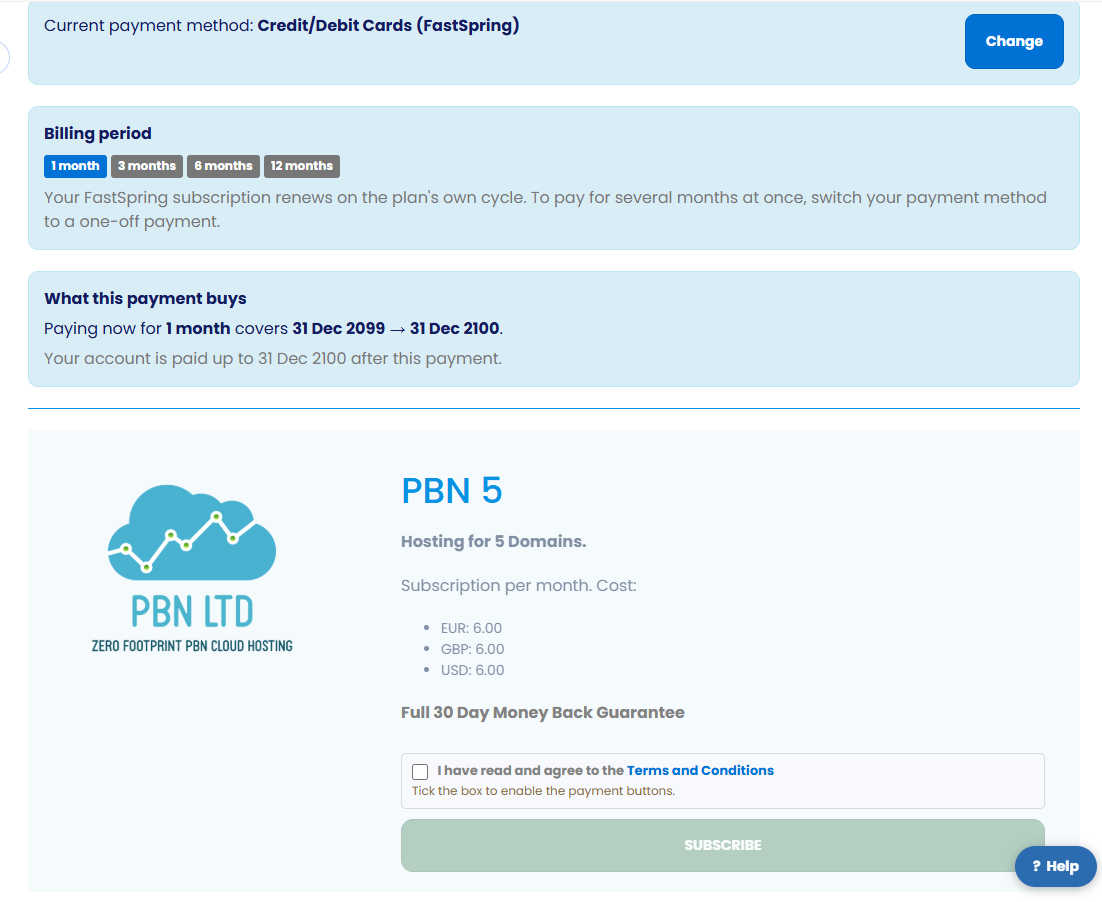
Your Subscription overview shows your current package, the plans you can move up or down to, and a Cancel option next to your active subscription. Everything below happens from this one page.
Upgrading your plan
Need more sites or resources? Upgrading takes effect immediately and you only pay for the difference:
- On your Subscriptions page, pick the higher plan you want.
- You’ll see the exact amount to pay today — just the difference for the days left in your current period — and your next billing date, before you approve anything.
- Approve it. Your bigger plan is live right away, and your renewal date doesn’t move.
There’s no need to cancel your current plan first — the system handles the switch for you. If you had more sites than your old plan allowed (any extras were paused), upgrading to a big enough plan brings them straight back; you can also add extra hosting spaces instead of moving up a whole tier.
Downgrading your plan
Want a smaller plan? Downgrading costs nothing today and never loses you time you’ve already paid for:
- On your Subscriptions page, pick the lower plan you want.
- You keep your current plan until your next billing date — you’re not charged, and nothing is refunded for the switch.
- On that date, the smaller plan takes over automatically.
💡 Watch your site count
If the smaller plan allows fewer sites than you currently have, the sites over the new limit will pause until you’re back under it — so remove any you no longer need first, or add extra hosting spaces to stay covered.
How you’re charged (card, PayPal & crypto)
The rules are now the same across every payment method — you only ever pay for what you actually use:
| Payment method | Upgrading | Downgrading |
|---|---|---|
| Card (via FastSpring) | Pay only the prorated difference today; the new plan starts at once. | No charge or refund; the new plan starts at your next billing date. |
| PayPal | Now the same as card — pay only the difference, and the new plan starts at once. No more full-price charge. | No charge or refund; the new plan starts at your next billing date. |
| Crypto (one-off) | The time you’ve already paid for is converted into days on the new plan, so nothing is wasted. | Unused time is converted into days on the smaller plan, so nothing is lost. |
Whatever you pay with, you always see the amount and the dates before you approve anything. If you want to change how you pay, see How to Switch Your Payment Method; to update your card or billing address, see How to Edit Your Billing Details. Prefer to pay less often? Paying quarterly, 6-monthly or yearly works too.
Cancelling your plan
You can cancel whenever you like, from the same place:
- Open your Subscriptions page (or the Billing tab).
- Find the Cancel option next to your active subscription.
- Click Cancel and follow the on-screen steps to finish.
💡 Before you cancel
Cancelling stops your plan from renewing — but you keep it until the end of the period you’ve already paid for (your next renewal date). After that your sites pause; nothing is deleted, and you can resubscribe any time to bring them back. No refunds are issued for time remaining, so there’s no rush — and do complete the whole cancellation flow so nothing renews.
✅ Quick summary
Manage everything from your name → Subscriptions. Upgrades take effect immediately and you only pay the difference for the days left — on card, PayPal and crypto. Downgrades cost nothing today and start at your next billing date. Cancelling stops your plan renewing — you keep it until the end of the period you’ve paid for, then your sites pause (no refund for remaining time). You always see the amount and dates before you confirm.