
You did your research. Found a domain with solid metrics—good DR, decent referring domains, relevant backlink profile. You bought it, built it out, pointed some links from it. And nothing happened. The domain that looked powerful on paper delivered nothing in practice.
This is frustratingly common. Understanding why it happens is the first step to preventing it.
The Backlinks Died
The most common reason a domain loses power is simple: the backlinks that made it valuable no longer exist.
Backlink tools show you historical data. When Ahrefs reports 500 referring domains, that’s based on their most recent crawl—which might be weeks or months old. It also includes links they’ve seen historically, some of which may have been removed.
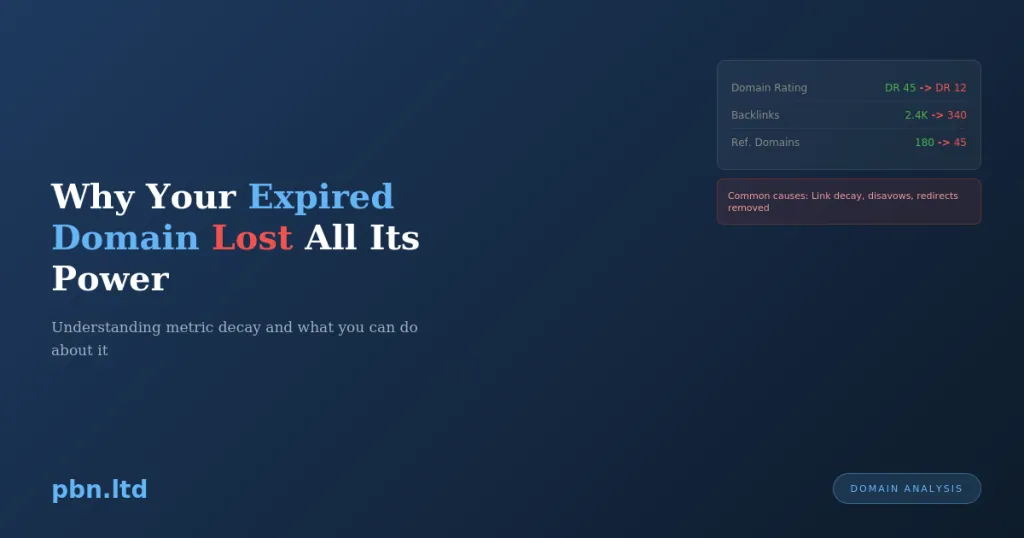
Websites change. Pages get deleted. Sites go offline entirely. A domain that had 500 referring domains three years ago might have 50 today. The links that built its authority have rotted away while the domain sat expired.
How to check: Don’t rely on headline metrics. Look at the actual backlinks. Check if the linking pages still exist. Use Ahrefs’ “Lost” backlinks report to see the trend. If a domain has been losing links steadily for years, those impressive DR numbers are ghosts.
The Dormancy Penalty
There’s ongoing debate about whether Google explicitly penalises domains that sit dormant, but the practical effect is clear: domains that have been inactive for extended periods often don’t perform as expected when revived.
When a domain expires and goes dark, Google eventually stops crawling it. The domain drops from the index. Links pointing to it are still noted, but the destination is gone. Over time, Google may devalue those links—the domain they point to no longer exists as a real website.
When you rebuild the domain, Google has to rediscover it, recrawl it, and reassess it. This isn’t instantaneous. And there’s no guarantee Google will treat the rebuilt domain as a continuation of the original. From Google’s perspective, it might be an entirely new site that happens to share a domain name with something that used to exist.
How to minimise this: The shorter the dormancy period, the better. Domains that expired last month are generally safer than domains that expired three years ago. Check when the domain actually dropped—auction platforms don’t always make this obvious.
The Topical Mismatch
You bought a domain that was previously about woodworking. It has backlinks from woodworking blogs, tool reviews, and DIY communities. You rebuild it as a general lifestyle blog with content about travel, fitness, and recipes.
The backlinks still exist, but they no longer make sense. A woodworking blog linking to a travel site looks unnatural. Google’s systems are increasingly sophisticated at evaluating topical relevance. Links from contextually irrelevant sources carry less weight—or trigger suspicion.
The domain’s authority was built on woodworking content. When you remove that topical foundation, the authority doesn’t transfer cleanly to unrelated topics.
How to prevent this: Maintain topical continuity. If the domain was about woodworking, rebuild it with woodworking content. If you want to use it for a different niche, you’re essentially starting from scratch—the historical authority won’t help you. We’ve covered this in detail in our expired domain evaluation framework.
Hidden Penalties and Spam History
Manual penalties in Google Search Console don’t transfer to new owners—Google clears them when ownership changes. But algorithmic issues are different. If a domain was hit by a spam algorithm, that association may persist.
More insidiously, the domain may have been used for spam in a way that isn’t visible in Wayback Machine archives. Someone might have owned it briefly, blasted spam links from it, and let it drop before the spam even showed up in historical snapshots.
The backlink profile might also contain toxic links you didn’t notice. That impressive referring domain count might include links from known spam networks, hacked sites, or link schemes that Google has already identified and devalued.
How to check: Look at the backlink profile in detail, not just the summary metrics. Check for spammy anchor text patterns—if the domain has thousands of links with exact-match commercial anchors, that’s a red flag. Look for links from obviously low-quality sites. Check Wayback Machine for periods where the site might have been compromised or used for spam.
The Registrar Parking Problem
When domains expire, they often display registrar parking pages—those generic “this domain may be for sale” pages covered in ads. Some registrars serve these pages for months or years while the domain is in redemption or available for purchase.
Google crawls these pages. It sees a domain that previously had valuable content now serving low-quality, ad-heavy parking pages. This doesn’t help the domain’s reputation.
Worse, some parking services have been flagged for serving malware or deceptive content. If Google’s Safe Browsing flagged the domain while it was parked, you inherit that problem.
How to check: Before purchasing, check Google’s Safe Browsing status. After purchasing, get real content up quickly—don’t let the domain sit on default hosting pages or parking redirects.
The Rebuild Was Too Slow
You bought the domain with great intentions. Then life happened. The domain sat on your to-do list for six months before you got around to building it out.
Every month a domain sits without content is another month for backlinks to rot, another month for Google to forget what the domain was, another month of dormancy added to whatever dormancy existed before you bought it.
Expired domains are time-sensitive assets. Their value decays. The premium you paid for good metrics is wasted if those metrics continue degrading while you procrastinate.
How to prevent this: Don’t buy domains you can’t build immediately. Have your content ready before you purchase. The goal is to go from acquisition to indexed content as quickly as possible. If you can’t do that yourself, services like our PBN building exist specifically to handle fast turnaround.
The Indexing Never Happened
You built the site. The content is there. But weeks later, Google still hasn’t indexed it—or has only indexed the homepage.
Getting expired domains indexed in 2026 isn’t as automatic as it used to be. Google is more selective about what it crawls and indexes. A rebuilt domain doesn’t automatically inherit the crawl priority of the original.
If your domain isn’t getting indexed, it’s not passing any value. The backlinks still point to it, but if Google isn’t crawling the destination, those links aren’t doing anything useful.
How to fix this: Submit to Search Console. Request indexing for key pages. Build fresh links to the site to trigger crawling. Make sure the site has proper internal linking so Google can discover all pages. We’ve covered indexation strategies in depth at https://pbn.ltd/indexation-strategies-for-2026-getting-new-sites-crawled-faster/.
The Metrics Were Inflated
Domain sellers know buyers look at metrics. Some sellers artificially inflate metrics before selling—building spammy links to boost DR/DA just before listing the domain for sale.
These inflated metrics look good in Ahrefs or Moz but represent zero real value. The links are from PBNs, link farms, or other manipulative sources that Google has already discounted. You paid a premium for numbers that mean nothing.
How to spot this: Look at the link growth timeline. Natural link profiles grow gradually. If a domain suddenly gained hundreds of links right before being listed for sale, that’s suspicious. Check the quality of linking domains, not just the quantity. A DR 50 built on links from real sites is worth more than a DR 70 built on spam. We’ve written extensively about which metrics actually matter at https://pbn.ltd/best-metrics-for-selecting-pbn-domains/.
The Foundation Links Are Missing
A rebuilt expired domain is still a new website in many practical ways. It needs a foundation. Just because it has historical backlinks doesn’t mean you can skip the basics.
Social profiles, business directories, citations, brand mentions—the signals that tell Google a website is real and belongs to a legitimate entity. Expired domains that previously had these foundations lose them when the original owner abandons them.
Rebuilding without re-establishing these foundational signals leaves your domain looking thin. It has backlinks but no surrounding ecosystem. That imbalance can look unnatural.
How to address this: Treat expired domain rebuilds like new site launches. Create social profiles. Build basic citations. Establish the foundational presence that makes a website look real. This doesn’t need to be extensive for PBN sites, but it shouldn’t be completely absent either.
Putting It Together
Expired domains fail for multiple reasons, often in combination. The backlinks decayed while the domain sat dormant. The new owner rebuilt with off-topic content. The site took months to build and more months to index. The metrics were inflated to begin with.
Preventing these failures requires diligence at every stage:
Before purchase: Verify backlinks still exist. Check for spam history. Look at link growth patterns. Don’t trust headline metrics.
At purchase: Prefer recently dropped domains over long-dormant ones. Have your content strategy ready.
After purchase: Build quickly. Maintain topical relevance. Handle indexing proactively. Establish foundational signals.
Expired domains can absolutely work. They can provide significant value when chosen well and built correctly. But they’re not magic. The value has to actually be there, and you have to preserve it through the rebuilding process.
For help evaluating domains before purchase, our free advice service can review specific domains you’re considering. For domains you’ve already acquired, our building service ensures they’re rebuilt properly and quickly.