
External Deploy · publish to your own accounts
Publish your sites to GitHub Pages, Netlify, Vercel and six more — from one dashboard
External Deploy takes a site you host with us (or an archive you upload) and publishes it to your own account at eight third-party hosts. You connect the account, you own the project, and you can walk away with it at any time. We never publish anything to an account of ours.
- $9/month, all eight hosts
- Your accounts, your billing
- Auto-publish on change
- Hourly, daily or weekly schedules
- Deploy history & build logs
- One-click rollback
- Custom domains + HTTPS
Already a customer? Open External Deploy in your dashboard.
What External Deploy is for
Put a copy of your site somewhere else
A network on one platform is a network with one point of failure. External Deploy publishes a copy of a site to a host that has nothing to do with us — a different company, a different network, a different bill. If you want a mirror, a staging copy, a page on a free tier, or simply somewhere your content also lives, this is the button for it.
Without learning eight different dashboards
GitHub Pages, GitLab Pages, Cloudflare Pages, Netlify, Vercel, Render, Azure Static Web Apps and AWS Amplify each have their own console, their own token format, their own idea of a custom domain and their own DNS records. You connect each account once. After that it is the same three buttons for all of them — Deploy, Redeploy, Rollback — and the same two switches: publish automatically when the site changes, and publish on a schedule.
It stays yours
Every project is created inside the account you connected. The repository is your repository, the Netlify site is your site, the AWS bill is your bill. Disconnect us tomorrow and everything you published carries on working — there is nothing to move, because it was never on our platform in the first place.
Measured like your other sites
An externally hosted site appears in your sites list marked External, with the same indexation check and the same SEO figures you get on the sites you host with us. It is not a second tool with a second login.
How it works, in four steps
Connect an account you already have
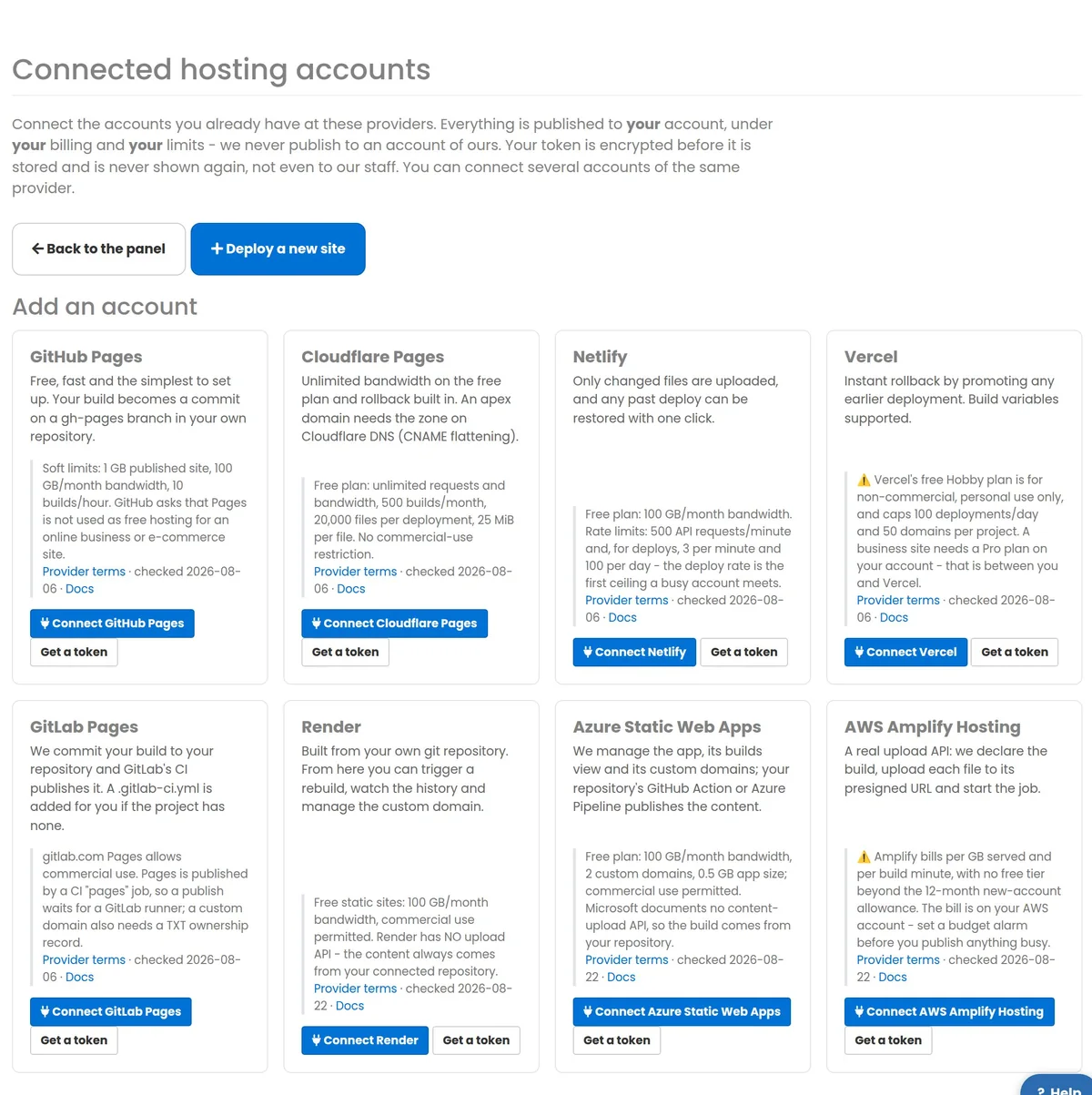
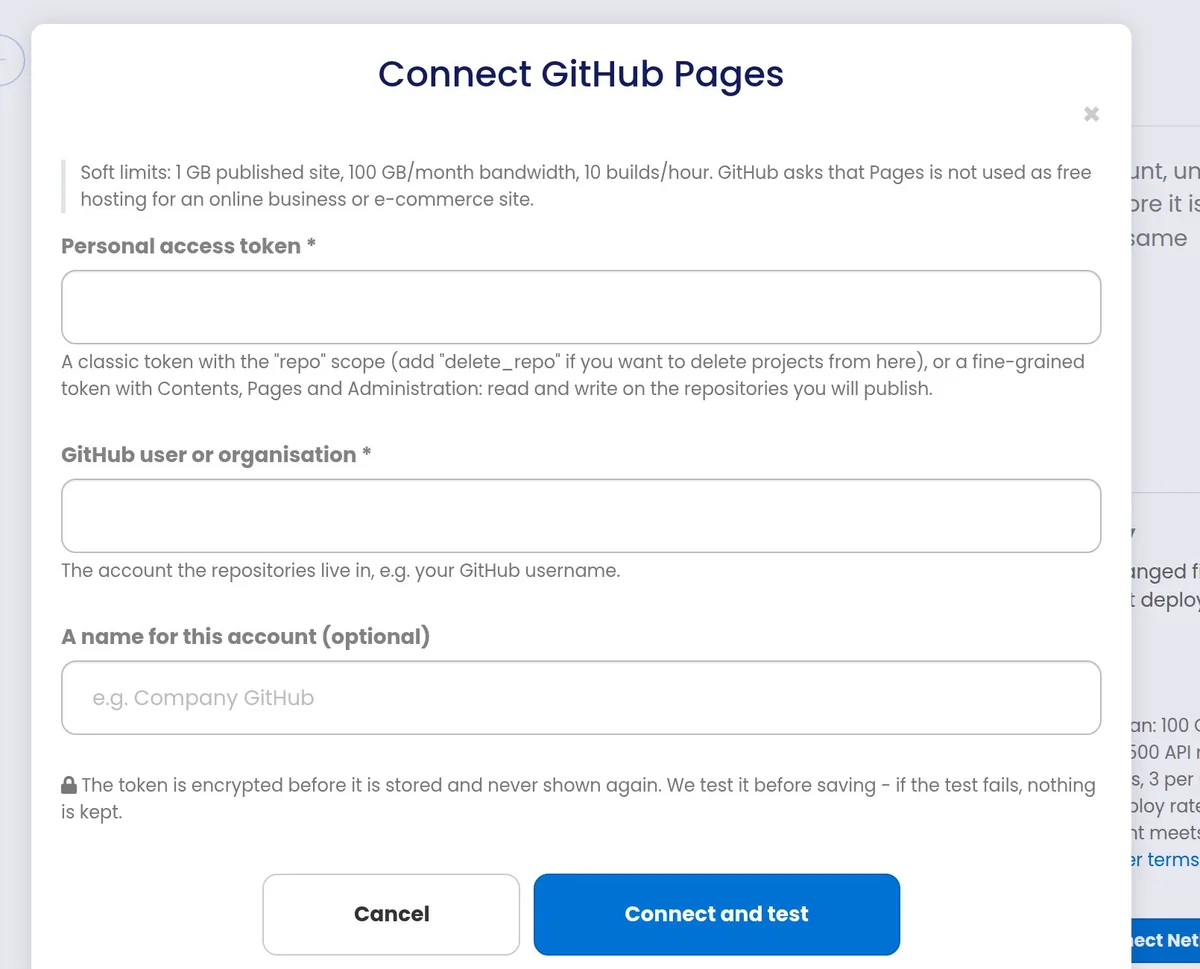
Pick a provider and paste a token you create in their dashboard — the screen tells you exactly which token and which permissions, and links straight to the page where you make it. We test the token before saving it: if the test fails, nothing is kept. You can connect several accounts at the same provider (a personal one and a client’s, for example).
Every card also shows that provider’s own free-tier terms and limits, with the date we last checked them, so you know what you are signing up to before you connect.
Your token is encrypted and never shown again
It is stored encrypted, it is never displayed back to you or to our staff, and it is stripped out of every error message before that message reaches a log line, a screen or an e-mail. Calls to your provider go out directly from our application server — never through the shared proxy pool the rest of the platform uses for third-party lookups. Your credentials are not somebody else’s traffic.
Choose what to publish, and where
Three sources: a site you host with us (we fetch its files from its worker as one archive), an archive you upload (.zip or .tar.gz of your built site), or the repository already connected at the provider (nothing to upload — we just drive the build). Then pick the account, name the project, and deploy.
We refuse an oversized build here, with a readable message, rather than letting the provider reject it half-way: 20,000 files, 25 MiB per file, 300 MB in total. Version-control folders, node_modules, caches, wp-config.php, .env, .htaccess, database dumps and log files are never published.
Add your domain, and keep an eye on it
Attach a custom domain and we show you the exact DNS records that provider needs — the four GitHub apex IPs, Netlify’s load-balancer ALIAS, Vercel’s per-project CNAME read live from their API, GitLab’s TXT ownership record, and so on. You publish them at whoever runs your DNS; we keep re-checking the domain until the provider reports it active with its certificate issued, and the screen changes by itself.
Every deploy is kept: state, file count, bytes, how long it took, and the provider’s own build log. Where the provider supports it, any earlier deploy can be promoted back live in one click.
The eight destinations, in detail
Each one is your own account. The limits below are the provider’s own published terms, read on the date shown and repeated inside the dashboard before you connect — they are not our rules and we do not change them.
GitHub Pages
Takes an upload · Rollback · Build log · Custom domain
Good for: the simplest, fastest start. Free, fast and familiar — and because the build lands as a real commit on a gh-pages branch in your own repository, you always have the published files in a place you control, with history, even if you never open our dashboard again.
You need: a GitHub account and a personal access token — a classic token with the repo scope (add delete_repo if you want to delete projects from here), or a fine-grained token with Contents, Pages and Administration: read and write on the repositories you will publish. You also tell us the user or organisation the repositories live in.
We do: create the repository if it does not exist, commit the build, enable Pages, list the deploy history, fetch the build log, roll back to an earlier commit, and attach your custom domain. Attaching a domain sets the CNAME first and enforces HTTPS afterwards, once GitHub has approved the certificate — asking for both at once is rejected by their API.
Their limits: soft limits of 1 GB per published site, 100 GB of bandwidth a month and 10 builds an hour. GitHub asks that Pages is not used as free hosting for an online business or e-commerce site. Checked 2026-08-06.
DNS: an apex domain takes four A records (GitHub’s published Pages addresses); a subdomain takes one CNAME to <your-account>.github.io.
Cloudflare Pages
Takes an upload · Rollback · Build log · Custom domain
Good for: busy sites on a free plan. Cloudflare does not meter bandwidth or requests on Pages, so a page that suddenly gets traffic does not produce a bill or a cut-off. Rollback is built in.
You need: a Cloudflare account, an API token with Account → Cloudflare Pages: Edit, and your account ID (it is on the Workers & Pages screen).
We do: create the project, upload the build, list deployments, read the build log, roll back to any earlier deployment, and attach custom domains.
Their limits: free plan — unlimited requests and bandwidth, 500 builds a month, 20,000 files per deployment and 25 MiB per file. No commercial-use restriction. Checked 2026-08-06.
DNS: Cloudflare publishes no apex IP addresses, so an apex domain needs the zone to be on Cloudflare DNS (their CNAME flattening does the rest). A subdomain is an ordinary CNAME to your project’s pages.dev hostname.
Netlify
Takes an upload · Rollback · Build log · Custom domain
Good for: frequent small updates. Netlify’s deploy API works out which files actually changed and only those are uploaded, so a one-page edit on a large site is quick. Any past deploy can be restored with one click.
You need: a Netlify account and a personal access token (User settings → Applications → Personal access tokens). If you work in a team, give us the team slug; leave it empty for your personal team.
We do: create the site, upload only the changed files, list deploys, read the build log, restore an earlier deploy, and attach custom domains.
Their limits: free plan — 100 GB of bandwidth a month. Rate limits of 500 API requests a minute and, for deploys, 3 a minute and 100 a day — the deploy rate is the first ceiling a busy account actually meets. Checked 2026-08-06.
DNS: an apex takes an A record to Netlify’s load balancer, or an ALIAS/ANAME record where your DNS provider offers one (better, because it follows their address changes). A subdomain is a CNAME.
Vercel
Takes an upload · Rollback · Build log · Custom domain · Build variables
Good for: instant rollback — any earlier deployment can simply be promoted back to production. It is also the only destination here where we can set build environment variables from our dashboard.
You need: a Vercel account and an access token (Account Settings → Tokens), scoped to the team that owns the projects. Add the team ID if it is not your personal account.
We do: create the project, upload the build, list deployments, read the build log, promote an earlier deployment, set build variables, and attach custom domains.
Their limits — read this one: Vercel’s free Hobby plan is for non-commercial, personal use only, and caps 100 deployments a day and 50 domains per project. A business site needs a Pro plan on your own account — that is between you and Vercel, and we say so on the screen before you connect. Checked 2026-08-06.
DNS: Vercel’s CNAME target is different for every project, so we read it live from their API and show you the real value rather than a generic one that may not work.
GitLab Pages
Takes an upload · Build log · Custom domain
Good for: teams already on GitLab, and for commercial sites on a free tier — gitlab.com Pages explicitly allows commercial use.
You need: a GitLab account and a personal access token with the api scope, plus the group or username the project sits under. You can name the branch; it defaults to main.
We do: create the project, commit your build to it, and add a .gitlab-ci.yml for you if the project has none — GitLab publishes Pages from a CI job called pages, so without it nothing would ever go live. We then follow the pipeline, show the build log, and attach your custom domain.
Their limits: commercial use allowed. A publish waits for a GitLab runner, so it is not instant the way a direct upload is. A custom domain also needs a TXT ownership record as well as the address record. Checked 2026-08-06.
DNS: an apex takes an A record to GitLab’s Pages address; a subdomain a CNAME to <namespace>.gitlab.io. Both also need the TXT record GitLab shows for that domain. Rollback is not offered — GitLab publishes whatever the last successful pipeline produced, so you redeploy instead.
Render
Built from your repository · Build log · Custom domain
Good for: a free static site with commercial use permitted, built straight from a git repository you already maintain.
You need: a Render account, an API key (Account Settings → API Keys), and a repository connected at Render. Add the owner ID only if your key can see more than one owner.
We do: create and delete the static site, trigger a rebuild, show the deploy history and build log, and manage the custom domain.
The one thing we cannot do: Render has no upload API at all — there is no endpoint that accepts file bytes, so the content always comes from your connected repository. That is a measurement of their API, not a policy of ours, and the dashboard simply does not offer you a Deploy-an-upload button for Render rather than offering one that would fail.
Their limits: free static sites — 100 GB of bandwidth a month, commercial use permitted. Checked 2026-08-22.
DNS: an apex takes an A record to Render’s address; a subdomain a CNAME to your onrender.com hostname.
Azure Static Web Apps
Built from your repository · Custom domain
Good for: anyone already inside Microsoft Azure, where the hosting has to live in the same subscription and resource group as everything else.
You need: an Entra ID app registration — tenant ID, application (client) ID and a client secret — with Contributor on the resource group that holds the static web apps, plus the subscription ID and the resource group name. A region is only needed when creating a new app.
We do: manage the app, its builds view and its custom domains.
The one thing we cannot do: Microsoft documents no content-upload API, so, like Render, the content comes from your repository — your GitHub Action or Azure Pipeline publishes it.
Their limits: free plan — 100 GB of bandwidth a month, 2 custom domains and a 0.5 GB app size; commercial use permitted. Checked 2026-08-22.
DNS: Azure publishes no apex IP, so an apex needs an ALIAS/ANAME or a flattened CNAME. An apex is validated by a TXT challenge and a subdomain by the CNAME itself — the two are not interchangeable, and the screen shows you the right one for the hostname you typed.
AWS Amplify Hosting
Takes an upload · Custom domain
Good for: teams whose everything is already on AWS. Amplify has a real upload API, so we declare the build, upload each file to its presigned URL and start the job — no repository required.
You need: an IAM access key (access key ID and secret access key) allowed to call Amplify on your apps, and the region. Temporary credentials work too — add the session token.
We do: create and delete the app, upload and deploy the build, and manage custom domains.
Their limits — read this one: Amplify bills per GB served and per build minute, with no free tier beyond the 12-month new-account allowance. The bill lands on your AWS account. Set a budget alarm before you publish anything busy. We show this warning on the connect screen, not in the small print. Checked 2026-08-22.
DNS: no apex IP — Amplify fronts an apex with its own managed address and expects an ALIAS/ANAME or a flattened CNAME. A subdomain is a CNAME.
Or let it publish by itself
Pressing Deploy is still there and still the default. Two switches on every external site take it off your hands when you want them to — both off until you turn them on, per site.
Publish when the site changes
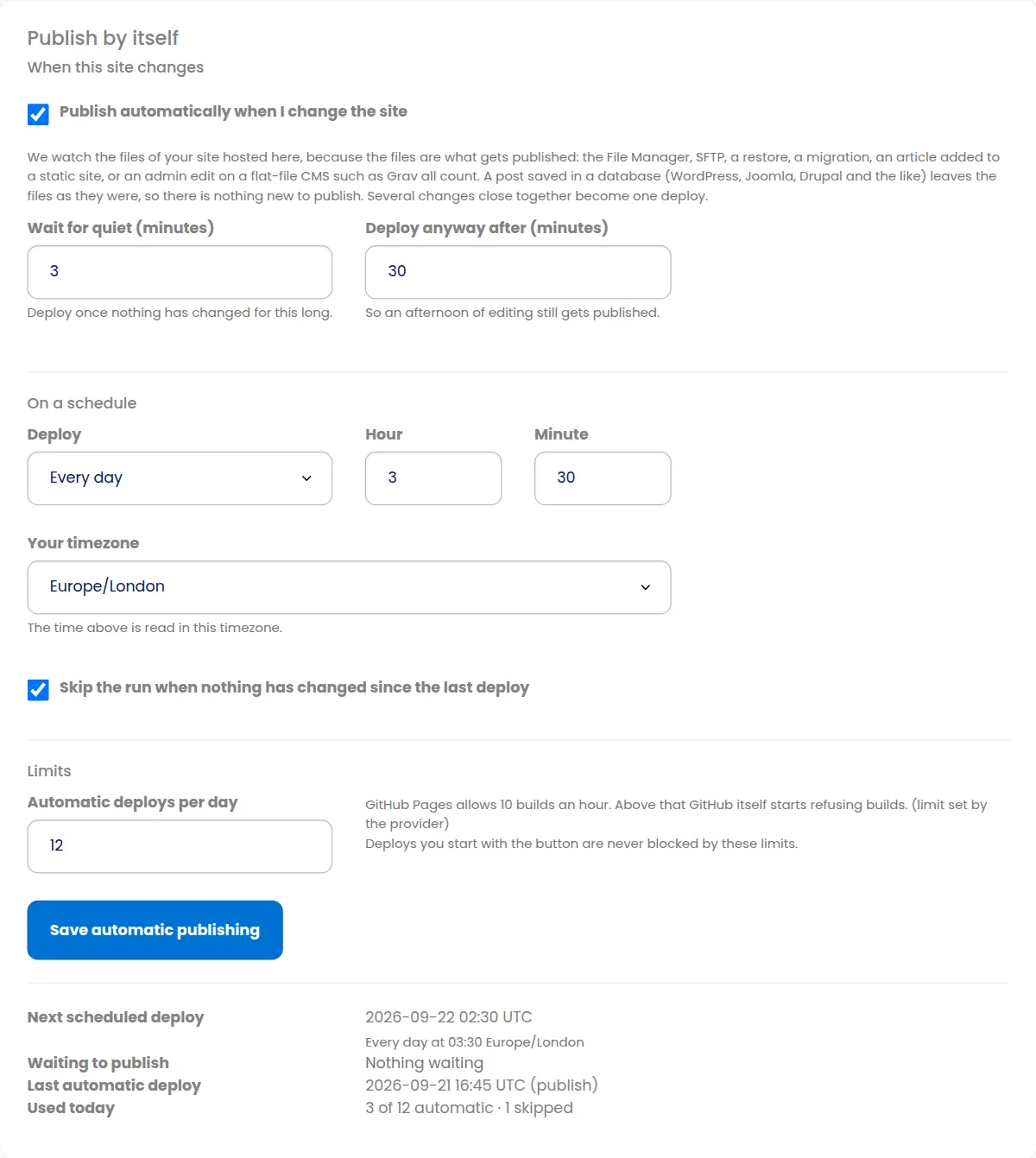
Tick “Publish automatically when I change the site” and the copy at your destination follows the site you host with us. We watch the site’s own files — the files are exactly what a static host receives — so it does not matter how you changed them: the File Manager, SFTP, a restore, a migration, a Wayback restore, an article AI Posting adds to a static site, or an edit in the admin of a flat-file CMS such as Grav all count, on every one of our nine site types. (A post saved in WordPress, Joomla or Drupal lives in the database, not in the files, so it gives a static host nothing new — we check, and do not spend a build on it.)
Ten edits in a minute are one deploy. After a change we wait for the site to go quiet (three minutes by default, yours to set between one and sixty) before we publish, and we publish anyway once the oldest unpublished change reaches the ceiling you set — so an afternoon of editing still goes out instead of waiting for a silence that never comes.
Publish on a schedule
Hourly, daily, weekly, or every N minutes — read in your timezone, not ours, so “every day at 03:30” means 03:30 where you are, across daylight saving. The next run is shown on the page. A run that finds nothing has changed since the last deploy does nothing at all and says so, so a nightly schedule on a site you have not touched costs you no builds.
A schedule works for a site you host with us on any of the six destinations that take an upload, and for Render, which builds from your own repository: there we ask Render to rebuild it. Azure Static Web Apps offers no way to start a rebuild from outside, so it publishes when you push to your repository and the screen says so.
Limits, so nothing runs away
Every destination has a ceiling we will not go past, counted per connected account because that is how the providers count. Where the provider publishes its own rate limit we keep under it — GitHub Pages 10 builds an hour, Netlify 3 deploys a minute and 100 a day, Vercel 100 a day, Cloudflare Pages 500 builds a month. On top of those, and wherever a provider publishes nothing, we cap automatic deploys at 6 an hour and 24 a day; on AWS Amplify, which charges you per build minute, ours is deliberately the strictest: 2 an hour, 8 a day.
On top of that each site has its own daily allowance for automatic deploys (12 by default, yours to change), and the page shows what has been used today. A deploy you start with the button is never blocked by any of it.
When an automatic deploy fails
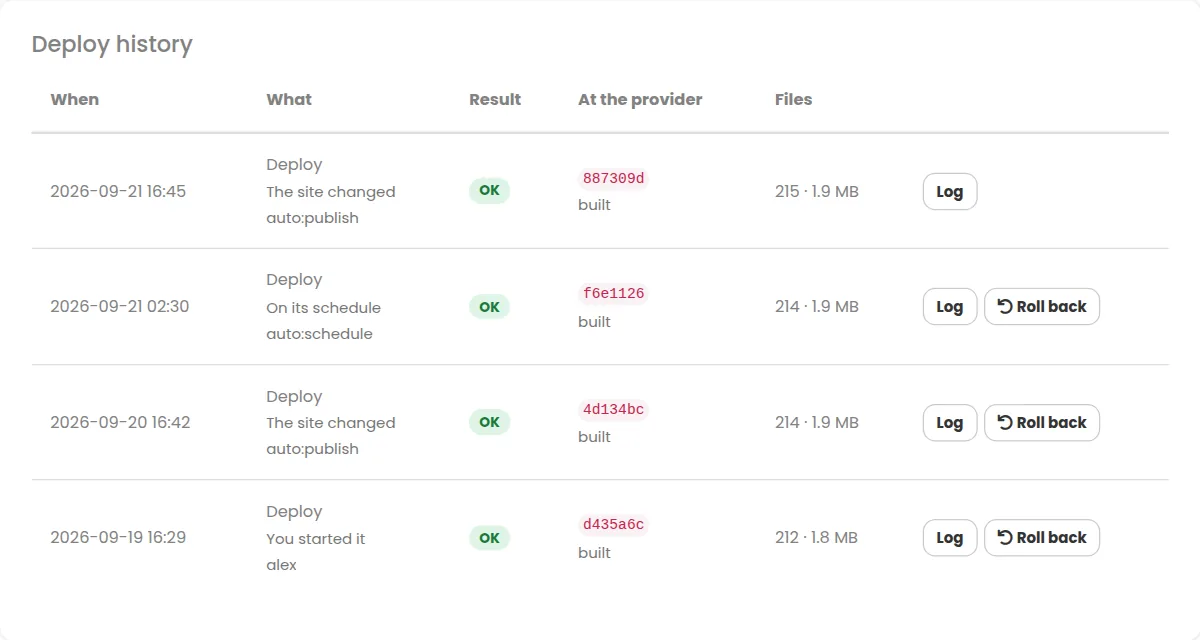
You get one email — not one per attempt — carrying the provider’s own message, not a shrug from us. We try again after 10 minutes, then 30, then 90, then four hours; if it is still failing after that we stop, say so on the page and in the email, and wait for you. The next change you make, or the next deploy you start by hand, starts it all again. Every row in the deploy history says what set it off: you, a change, a schedule or a retry.
Compare the eight at a glance
Everything in this table is read from the same place the dashboard reads it, so it cannot drift away from what the buttons actually do.
| Destination | We can publish an upload | Rollback | Build log | Build variables | Custom domain | Automatic deploys we allow | Free tier, in one line |
|---|---|---|---|---|---|---|---|
| GitHub Pages | Yes | Yes | Yes | No | Yes | 10 an hour (GitHub’s limit), 24 a day (ours) | 1 GB site, 100 GB/mo, 10 builds/hour — not for e-commerce |
| Cloudflare Pages | Yes | Yes | Yes | No | Yes | 500 a month (Cloudflare’s limit); 6 an hour, 24 a day (ours) | Unlimited bandwidth, 500 builds/mo, 20,000 files |
| Netlify | Yes | Yes | Yes | No | Yes | 3 a minute, 100 a day (Netlify’s limits); 6 an hour (ours) | 100 GB/mo; 3 deploys/minute, 100/day |
| Vercel | Yes | Yes | Yes | Yes | Yes | 100 a day (Vercel Hobby’s limit); 6 an hour (ours) | Hobby is non-commercial only; 100 deploys/day |
| GitLab Pages | Yes | No | Yes | No | Yes | 6 an hour, 24 a day (ours — GitLab publishes none) | Commercial use allowed; publish waits for a CI runner |
| Render | No — from your repo | No | Yes | No | Yes | Scheduled rebuilds: 6 an hour, 24 a day (ours — Render publishes none) | 100 GB/mo, commercial use permitted |
| Azure Static Web Apps | No — from your repo | No | No | No | Yes | None — Azure has no rebuild call; it publishes when you push | 100 GB/mo, 2 custom domains, 0.5 GB app |
| AWS Amplify | Yes | No | No | No | Yes | 2 an hour, 8 a day (ours — Amplify bills per build minute) | Paid per GB and per build minute — set a budget alarm |
“No” here never means a missing feature on our side — it means that provider’s API does not offer it, so the dashboard does not show you a button whose only possible outcome is an error.
What you can publish
A site you host with us
We pull the site’s files from its worker as a single archive and publish those. Works for every site type we host.
An archive you upload
A .zip or .tar.gz of your built site. Nothing else is involved, so this works for every destination and every customer — including one who hosts nothing with us.
Your repository at the provider
Nothing to build or upload: the provider pulls from the repository you connected, and we drive the build, the history and the domain.
Be clear about what a static host can run
All nine of our site types can be the source of a deploy — WordPress, Static HTML, PHP hosting, Joomla, Drupal, PrestaShop, OpenCart, Grav and MediaWiki. But a third-party static host runs no PHP and has no database. Publishing a WordPress or Drupal site sends its files, not a working application: you get the pages, images, stylesheets and scripts, not the admin area, the comment form or anything that needs the database.
So External Deploy is at its best for Static HTML sites, for PHP-hosting sites whose pages are plain HTML, for a build you produced elsewhere and upload, and for a static export of a CMS site. The form says so before you choose, not afterwards.
Domains and HTTPS, handled honestly
We show the records; you publish them
An externally hosted site is on your DNS, wherever that is — so we never write into it. What we do is attach the hostname at the provider and then show you the exact records to create, worked out for that provider and that hostname: apex or subdomain, A or CNAME or ALIAS, plus any TXT ownership record. No guessing, no copying a generic value out of a help page that does not apply to your project.
Then it watches, so you do not have to
Once the records are published, the provider has to verify the domain and issue a certificate, which can take anything from a minute to a while. A sweep re-reads every pending domain for you, so “waiting for DNS” turns into “live, with HTTPS” by itself — you do not have to sit on the page pressing refresh.
Apex domains are the awkward ones
Four of the eight publish real apex IP addresses (GitHub, GitLab, Netlify, Render). The other four — Cloudflare Pages, Azure and Amplify, and Vercel’s per-project target — need an ALIAS/ANAME record or CNAME flattening, which not every DNS provider offers. Cloudflare Pages in particular wants the zone on Cloudflare DNS. We tell you which case you are in before you start.
You can use the provider’s own address
A custom domain is optional. Leave it off and the site simply lives on the provider’s hostname — *.github.io, *.pages.dev, *.netlify.app and so on — with HTTPS already working and nothing to configure.
What you see after a deploy
Full history
Every deploy, redeploy and rollback: its state, how many files and bytes went up, how long it took, and who started it.
The provider’s build log
Not our summary of it — the actual log from GitHub, Cloudflare, Netlify, Vercel, GitLab or Render, so a failed build tells you why.
One-click rollback
On GitHub Pages, Cloudflare Pages, Netlify and Vercel, any earlier deploy can be put back live in one click.
Domain and certificate state
Each attached hostname with its state, whether HTTPS is active, and the records still waiting to be published.
An audit trail
Connected, tested, disconnected, deployed, rolled back, domain added or removed — each with the result. Useful when a client asks what changed.
Indexation and SEO
Your external sites sit in the same sites list, marked External, with the same Google indexation check and SEO metrics as the sites you host here.
Your accounts. Your credentials. Really.
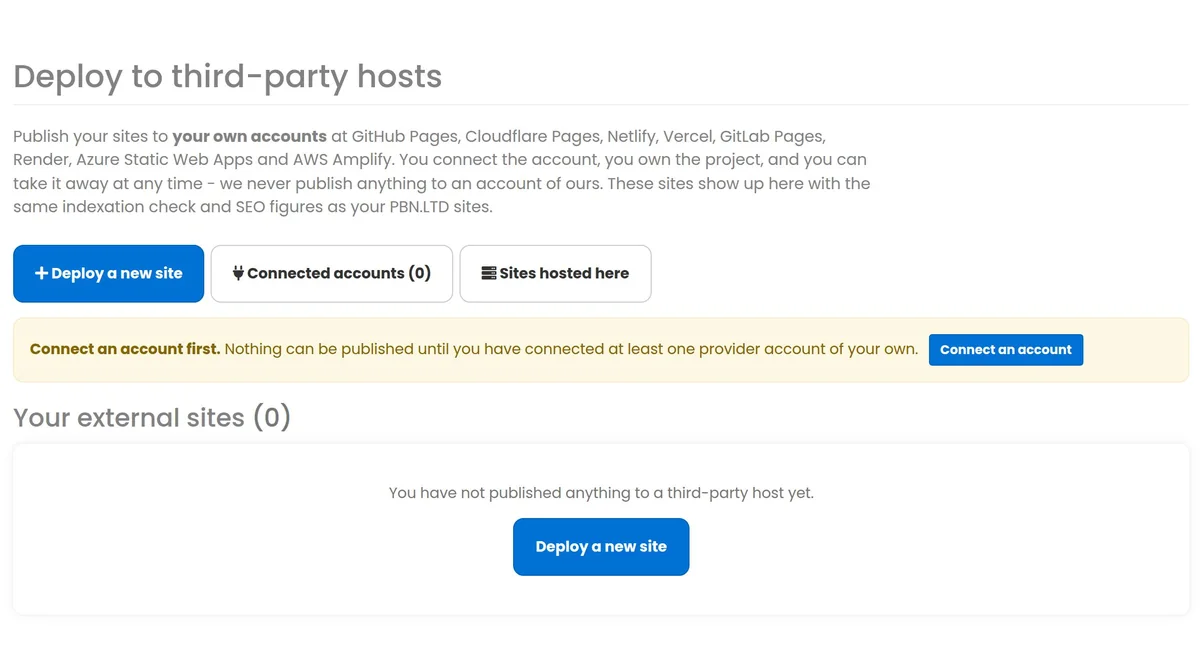
There is no PBN LTD account behind this, no shared pool and no fallback. If you have not connected an account, nothing can be published — there is nowhere for it to go. Your token is encrypted before it is stored, never shown again to you or to our staff, and removed from every error message. Calls to your provider go out directly from our application server, never through the shared proxy pool the platform uses for other third-party lookups.
Disconnect at any time: your projects, your repositories and your domains stay exactly where they are, in your account, working.
One price, all eight destinations
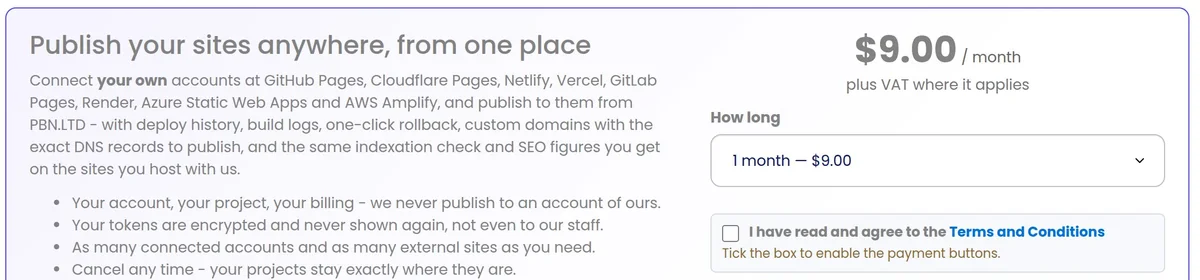
Prices in US dollars, plus VAT where it applies. Pay for 1, 3, 6 or 12 months with PayPal (which also takes cards) or with crypto.
External Deploy
- All eight destinations
- As many connected accounts as you need
- As many external sites as you need
- Deploy history, build logs and rollback
- Custom domains with the exact DNS records
- Indexation and SEO figures on external sites
- Cancel any time — your projects stay where they are
The $9 is ours and it is the only thing we charge. What you use at GitHub, Cloudflare, Netlify, Vercel, GitLab, Render, Azure or AWS is billed by them, on your own account, under their own plan — six of the eight have a free tier that covers a normal site, and two (Vercel’s Hobby plan and AWS Amplify) have terms worth reading first. We show each provider’s terms in the dashboard before you connect.
Do you need a hosting plan with us?
Not for the package itself. External Deploy is a $9/month add-on on your PBN LTD account, and you can use it to publish an uploaded archive, or to drive a build from a repository you already have, without hosting a single site with us.
But one of the three sources does need one: “publish a site you host with us” obviously needs a site hosted with us. If that is the reason you are here — you want a copy of your PBN LTD site pushed out to GitHub Pages or Netlify — then yes, you need a hosting plan too, because that is where the files come from.
Pairs well with
Questions people ask
Do I need a hosting plan to use External Deploy?
Not for the package itself: it is a $9 a month add-on and you can publish an uploaded archive, or drive a build from your own repository, without hosting anything with us. You do need a hosting plan for one of the three sources — “publish a site you host with us” — because that is where the files come from.
Whose account does the site end up on?
Yours. Every project is created inside the account you connected, at the provider you chose. There is no PBN LTD account behind this and no shared pool: if you have not connected an account, nothing can be published because there is nowhere for it to go.
Does the $9 cover what the provider charges?
No, and nothing could. The $9 is ours, for the dashboard, the deploys, the history, the domains and the monitoring. What you use at GitHub, Cloudflare, Netlify, Vercel, GitLab, Render, Azure or AWS is billed by them, on your own account, under your own plan. Six of the eight have a free tier that covers a normal site. Two do not, in different ways: Vercel’s free Hobby plan is for non-commercial use only, and AWS Amplify bills per GB served and per build minute.
Will my WordPress site work on GitHub Pages?
Not as WordPress. Third-party static hosts run no PHP and have no database, so publishing a WordPress, Joomla, Drupal, PrestaShop, OpenCart, Grav or MediaWiki site sends its files, not a working application — you get the pages and assets, not the admin area or anything that needs the database. External Deploy is at its best for Static HTML sites, for PHP-hosting sites whose pages are plain HTML, for a static export, and for a build you produced elsewhere and upload.
How is a deploy started — is it automatic?
However you want it. Deploy, Redeploy and Rollback are buttons you press, and that is the default: nothing goes out unless you say so. Per site you can also switch on auto-publish, which publishes whenever the site you host with us changes, and a schedule — hourly, daily, weekly or every N minutes, in your own timezone. Both are off until you turn them on, and every row in the deploy history says which of the four started it.
If I edit ten pages in a row, does that mean ten deploys?
No. After a change we wait for the site to go quiet — three minutes by default, anything from one to sixty — and publish once. If you keep editing, we still publish at the ceiling you set (thirty minutes by default), so a long editing session goes out rather than waiting for a silence that never comes. On top of that each site has a daily allowance for automatic deploys (12 by default) and each destination has a rate limit we will not exceed.
Will a nightly schedule waste my free-tier builds?
Not if nothing changed. A scheduled run fingerprints the site’s files first and skips itself when they match the last deploy — the page records the run as skipped and no build is spent. You can turn that off if you would rather it published every time. The per-destination caps in the table above are what we will never go past: where a provider publishes its own limit we use theirs, and where it does not we set one ourselves.
What happens if an automatic deploy fails?
You get one email with the provider’s own message — one email per distinct problem per day, not one per attempt. We retry after 10 minutes, 30, 90 and four hours, and if it is still failing we stop and say so on the site’s page rather than hammering your account. Your next change, or your next deploy by hand, clears it and automatic publishing resumes.
Can I auto-publish a site whose files I upload?
No, and the screen says so instead of pretending. An uploaded archive came from your browser, so there is nothing for us to rebuild by ourselves. Auto-publish on change needs a site you host with us as the source, on one of the six destinations that take an upload. A schedule works for that too, and for Render, which we can ask to rebuild your repository. Azure Static Web Apps publishes when you push to your repository.
Does saving a WordPress post trigger a deploy?
No, and on purpose. A static host receives your site’s files, and a WordPress, Joomla or Drupal post is saved in the database, so the files — and therefore anything a static host could show — stay exactly as they were. Before every automatic deploy we look at the files once more, and if nothing that would be published has changed we skip it rather than spend one of your builds. New uploads, theme or plugin files, and any change to a Static HTML, PHP-hosting or Grav site do trigger it.
Can I roll back a bad deploy?
On GitHub Pages, Cloudflare Pages, Netlify and Vercel, yes — any earlier deploy can be put back live in one click. GitLab Pages, Render, Azure Static Web Apps and AWS Amplify do not offer that through their APIs, so there you redeploy instead. The dashboard only shows the rollback button where it will actually work.
Do you change my DNS?
Never, for an external site. That domain is on your DNS, wherever you keep it. We attach the hostname at the provider and then show you the exact records to create — the right type for an apex or a subdomain, the right value for that specific project, and any TXT ownership record. You publish them, and we keep re-checking until the provider reports the domain live with its certificate issued.
What about HTTPS?
The provider issues the certificate, automatically, once it can see your DNS records. On the provider’s own hostname it is already there. On a custom domain it follows verification, and the screen shows the state until it is active. On GitHub Pages we deliberately set the domain first and turn on HTTPS enforcement afterwards, because GitHub rejects both at once until the certificate has been approved.
How safe is my token?
It is encrypted before it is stored, never shown again — not to you and not to our staff — and stripped out of every error message before that message reaches a screen, a log or an e-mail. We test it before saving; if the test fails, nothing is kept. Calls to your provider go directly from our application server and never through the shared proxy pool the platform uses for other third-party lookups. You can disconnect an account at any time, and you can revoke the token at the provider whenever you like.
Is there a size limit on what I publish?
Yes, and we apply it before anything is uploaded so you get a readable message instead of a half-finished deploy: 20,000 files, 25 MiB per file and 300 MB in total. Those numbers sit just under the strictest provider’s own limits. Version-control folders, node_modules, caches, wp-config.php, .env, .htaccess, database dumps and log files are never published.
Can I connect more than one account at the same provider?
Yes — as many as you like, at any of the eight. A personal GitHub and a client’s organisation, two Netlify teams, several AWS regions: each is its own connection with its own credentials, and you choose which one a site publishes to.
What happens if I cancel?
Everything you published stays exactly where it is, in your own account, serving as normal — it was never on our platform. You lose the dashboard that drives it: the deploy button, the history, the rollback and the domain screens. Your existing subscription keeps working until the period you paid for ends.
Publish anywhere, from the dashboard you already use
$9 a month for all eight destinations, your own accounts, as many sites as you need.